WE ARE FOOTBALL 2027: Real Name Patch Guide
How to get real club names in WE ARE FOOTBALL 2027: the Steam Workshop real-names databases, the editor install flow, and where crests and pictures come from.
Frequently Asked Questions
Is the real name database patch free to download?
Do real names apply to an ongoing career save?
Will installing a custom database disable Steam achievements?
Why does WE ARE FOOTBALL 2027 need a real name patch?
Due to strict international licensing restrictions, developer Winning Streak Games delivers the vanilla release with fictional club names, generic logos, and generated player identities. To enjoy realistic immersion across the Premier League, Bundesliga, La Liga, and European continental tournaments, installing a community real name database patch is essential.
The fix the community actually fields is not a classic file patch but a database: since 24 September 2026 the game’s Steam Workshop carries real-names databases that the editor folds into the game as an additional database, and the demand for them — measured in hundreds of subscriptions within days — is why this page exists. Once your club names are real, jump directly into managing your club with our beginner guide.
Where to download a real-names database today
Two routes work right now, and they solve different halves of the problem:
- Steam Workshop — the database side. The three entries listed in the next section deliver real club names (and, in the Reality Mod’s case, a reshuffled world) as databases the editor installs. No file copying.
- FM-Zocker on modDB — the graphics side. The WAF2024 Database 2026 family carries original crests, sponsors and player pictures for the predecessor, and per the manual “WAF, NT, WAF2024 and WAF27 all access the same graphics directories and use the same formats” (EN p. 179) — which is why 2024-era graphics keep working. Where those files go and how they get named is the facepack and logo install guide’s territory.
Always match your build and read dependency notes; for a WAF 2024 database carried into 2027 the editor route and its mixed results are documented in the Megapatch section below.
Steam Workshop Is Live: the Real Names Database
The biggest official change for this page since release: WE ARE FOOTBALL 2027 now has a Steam Workshop. The Workshop hub opened on 24 September 2026 — the same day Update 1 rolled out, whose fix history is tracked in our troubleshooting and update log; the store page’s own category list only followed in early October, and as of 8 October 2026 it lists sixteen categories with Steam Workshop among them. Within a day the hub held its first substantive entry: WAF 2027 Real Names Database – Preview Version v0.1 by Opa Glatze spielt, a 162.727 MB database package posted on 24 September. The demand was measurable immediately: 1,170 unique visitors and 380 current subscribers within roughly 24 hours (as of 25 September 2026, 22:09 UTC) — and the entry led the Workshop’s subscription table for two full weeks, until 8 October 2026, when the renamed Real Clubs & Players entry below took the top spot from it: the names-only database now stands at 1,037 current subscribers — a gain of +7 that ends two consecutive readings of decline (−7 after −2) — and 3,638 unique visitors (as of 11 October 2026, 15:11 UTC), still on preview version v0.1 with no new upload since 24 September (Workshop stamp “Sep 24 @ 4:14pm”, page time in PDT). The pull is convenience — subscribing downloads the files and keeps them current automatically, no extract-and-copy. How a subscription turns into a playable database — the editor’s integrate flow — is walked step by step in our mods and Steam Workshop guide.
How far the project reaches, the author states himself in the companion thread (“WAF 2027 Real Names Datenbank – Vorabversion v0.1 im Workshop”, 17 replies as of 25 September 2026): “this project is focused on real club names only … Real player names and player faces are not part of this project”. On living alongside the FM-Zocker packs: “If you already use an FM-Zocker graphics pack, some logos and kits may still work automatically for clubs where the club ID matches.” So the Workshop preview and the manual route above are parallel choices, not rivals: the preview covers club names, crests and portraits still come from the forum packs, and where sources overlap the priority rule at the bottom of this page decides. The same thread captures the demand side verbatim — one user: “Solange ich nicht sicher bin, dass ich die echten Vereinsnamen und Spieler ohne großen aufwand downloaden und modden kann, solange werde ich das Game nicht in meinen Warenkorb packen.”
The Workshop did not stop at the launch items. On 30 September 2026 a third database entry appeared: WAF27 Real Clubs & Players by Markus (Workshop item 3811000123, posted 21:29 UTC under its original name “WAF27 Originalvereine & Spieler”, which it carried until a 7 October update renamed it in English), and it remains the workshop’s most active project: as of 6 October 2026, 22:15 UTC, the entry counted 862 subscriptions and 2,100 unique visitors, and a fourth revision inside its first week — the third had landed on 4 October at 13:09 UTC, the fourth followed on 6 October (the Workshop lists it as “6 Oct @ 11:39am”, page time in PDT, around 18:39 UTC) — took the package from 84.492 to 84.681 MB. The 7 October update (Workshop stamp “Oct 7 @ 2:10am”, page time in PDT, around 09:10 UTC) renamed the entry and rewrote the description without changing the package size; as of 8 October 2026 it counted 1,085 subscriptions and 2,467 unique visitors (21 favorites) — 104 new subscribers in the single day since the previous snapshot — and on that same reading it overtook the Real Names Database to become the Workshop’s most-subscribed entry. The next reading, 11 October 2026, 15:11 UTC, confirms both the pace and the gap: 1,427 subscriptions (+342 in roughly three days, an accelerated pace of around 127 per day), 3,009 unique visitors and 23 favorites, against 1,037 for the Real Names Database — a lead of 390 that has widened since the takeover, the top spot unchallenged since 8 October. The entry itself has not moved: the package still stands at 84.681 MB, the changelog still counts seven change notes, and the Workshop still lists “Oct 7 @ 2:10am” (page time in PDT) as the last update. The changelog numbers the current state version 1.5: the 6 October entry adds original club names for Bosnia and Herzegovina, the Faroe Islands, Iceland, Japan and the USA, plus badge work and fixes for compatibility with the FM-Zocker Patch. The description’s stats stood as recorded at version 1.4 — roughly 1,300 changed club names across 31 countries, with a 43-country coverage list from Albania to Cyprus — and the 7 October rewrite raised them: it now claims roughly 1,370 changed club names across 36 countries and about 5,100 player records edited or newly created, Austria, Denmark, England, France, Germany, Italy and Spain named explicitly, loan players included, with real club names and up-to-date squads for the 2026/27 season as the stated goal and the database self-described as still a work in progress. It also grades its own completeness league by league: the Austrian Bundesliga, the Danish top division, Germany’s 2. Bundesliga and 3. Liga, France’s Ligue 1 and England’s Championship are listed as complete, and LaLiga as complete with real club names plus 512 real players added. The changelog owns two fixes, too: because of a duplicate ID assignment the DFB-Pokal and the Regionalpokal West had shared the same ID — which kept the DFB-Pokal from being played at all — and some players had been assigned to hidden teams, so squad sizes looked right while the players never appeared in the visible squad; both issues are declared fixed in this version. Two practical notes from the same description: because some users have problems downloading the database through the Steam Workshop, Markus now mirrors versions 1.1 through 1.51 on ModDB as a second channel — and the graphics boundary still holds exactly as with the Real Names Database: original crests and player pictures are not part of the Workshop database (“Die Grafiken sind nicht Bestandteil dieses Workshop-Datensatzes”), which keeps the facepack and logo install guide its designated companion. If you want original club names plus a set of original player records in one subscription, this is now the entry the community is voting for with its subscriptions; the Real Names Database preview above remains the leaner, names-only alternative.
Megapatch: What the Name Actually Refers To
The word Megapatch comes from the predecessor: it is the label of the FM-Zocker community database family built for WE ARE FOOTBALL 2024 and hosted on modDB — “WAF2024 - Datenbank 2026 v1.0”, plus portrait packs. The demand has carried over to the new game: the Steam thread “Wo kann ich den Megapatch downloaden?” (opened 18 September, 16 posts as of 26 September 2026) asks exactly that for WAF 2027 — the opener has “searched everywhere” for a Megapatch 2026 by FM-Zocker. The thread’s answers sketch the current state: the 2026 database is a WAF 2024 file found on modDB; carrying it into WAF 2027 means a manual detour (one reply describes copying the FMZ sqlite database from the Saved Games\We Are Football\DatabaseWAF2024 folder into the WAF 2027 database folder); and results are mixed — it works for some, including the March 2026 database state with portraits, while others report the editor crashing after the merge or league edits refusing to stick.
As of 26 September 2026, the thread contains no link to and no announcement of a released WAF 2027 Megapatch. Until something like that exists, the routes on this page are the ones that work: the Workshop entries in the section above, the installation steps below — and, for the graphics half, the FM-Zocker packs paired with the facepack and logo install guide.
Directory Paths: Where Files Actually Live
WE ARE FOOTBALL 2027 reads custom content from your Windows user profile — but from Saved Games, not from Documents, and databases are not copied there by hand at all.
| Content | Where it lives | How it gets there |
|---|---|---|
| Save files, badges, kits, user directories | Saved Games\We Are Football (plus a We Are Football 2027 folder) | Manual copy — the manual places them “next to the save files” there (EN p. 179 / DE S. 191, full root form EN p. 215) |
| Club badges, player pictures, kit graphics | The Badges, Players, Shirts, Kits folders under that root | Manual copy with strict file-name rules (facepack guide) |
| Real-names and mod databases | Inside the game as an additional database | The editor’s Daten ins Spiel integrieren flow (Workshop guide) |
The one full path the manual itself prints is the editor’s database file: Saved Games\We Are Football\DatabaseWAF2024\WeAreFootball2024.sqlite (EN p. 215 / DE S. 227). Everything database-shaped reaches the game through the editor — extracting folders by hand is not part of any documented route.
Installing a Real-Names Database, Step by Step
Installing a Workshop database takes minutes and requires no modding software:
- Subscribe to the Workshop entry in Steam (or download a community database file).
- Open the editor from the game’s main menu and accept the user agreement.
- Press Steam Workshop, switch to the Download tab, update and select your subscriptions, then press Daten ins Spiel integrieren.
- Back up first — the editor reminds you itself, and the manual’s rule for the database file is the same: back it up “so that you can revert to the original data if any problems arise” (EN p. 215).
- Start a new career and pick the integrated database when the game offers it.
The Editor Flow on Video: Two Recorded Routes
Two community recordings document the editor flow this page describes — and they take different routes. Both are credited here; every screenshot below comes from the second one.

So bekommst du Original Wappen und Spielernamen – WE ARE FOOTBALL 2027 (PowerBallGaming)
The transfer route through WE ARE FOOTBALL 2024
PowerBallGaming’s route assumes you own the predecessor, and every step below is his as recorded:
- In the WE ARE FOOTBALL 2024 Workshop, subscribe to FM-Zocker’s „FM-Zocker.de – WAF2024 Database 2026 (XL)“ — the XL build is the largest version available; the video names smaller packages as the alternative for weak PCs, tight storage or a smaller licensed world.
- Without Workshop access, his alternative is fmzocker.de: download the archive, extract it and install it like a normal application.
- Open the WAF 2024 editor and create a new database first — his explicit backup discipline, so the original database stays intact if anything goes wrong. The same discipline applies to your careers: our savegame backup guide covers it.
- Update the Workshop download in the editor (the captions label the button „Update Steam Workshop Download“), select the subscribed database and integrate it into the game.
- Open the database directory: the FM-Zocker SQLite file now sits in the WAF 2024 database folder whose full path the manual prints (
DatabaseWAF2024, EN p. 215). Leave the folder open and close WAF 2024. - In the WAF 2027 editor, create its own new database as well, then press Daten von anderer Datenbank übertragen, paste the copied WAF 2024 database path into the load dialog and open the FM-Zocker SQLite file — the video stresses it must be exactly that SQLite file.
- Confirm with OK and run Daten ins Spiel integrieren — a long integration, he warns, because the package brings a lot of images and a lot of name changes along. This all happens in the same tool our external editor guide documents.
- Start a new career — a running save cannot adopt the data — and pick the new database entry instead of Standard or Welt; which base suits you otherwise is the database choice guide’s territory. In the recording HSV, Liverpool and Barça appear fully licensed, with Denmark and Costa Rica included, and the flow is described as working the same in Creative, realistic and multiplayer modes. The FM-Zocker data state is March 2026, so summer transfers are missing by roughly half a year — the creator’s own trade-off: an older real database beats a current fictional one. And in his recording the crests and player pictures ride in with the same FM-Zocker stock; where those files live outside a database is the facepack and logo install guide’s territory.
One sentence needs a date stamp, because the two videos disagree: at his recording date PowerBallGaming states the Steam Workshop button in the 2027 editor „won’t work“ and that the feature is only included in the 24 version — that is why his route detours through the predecessor at all. Opa Glatze’s clip, uploaded 25 September, shows the same button opening the Download tab in the 2027 editor (below), and the Real Clubs & Players entry’s own description documents its install through that same Workshop button. Both claims stand as recorded; the videos do not say what, if anything, changed between the two dates. Worth reading side by side with this: Steam-forum reports in early October 2026 describe transferred WAF 2024 databases misbehaving in WAF 2027 careers, with FM-Zocker’s own admins quoted advising against carrying the old database over — the transfer route is what the recording shows, not a community-endorsed recommendation.
The direct route, frame by frame
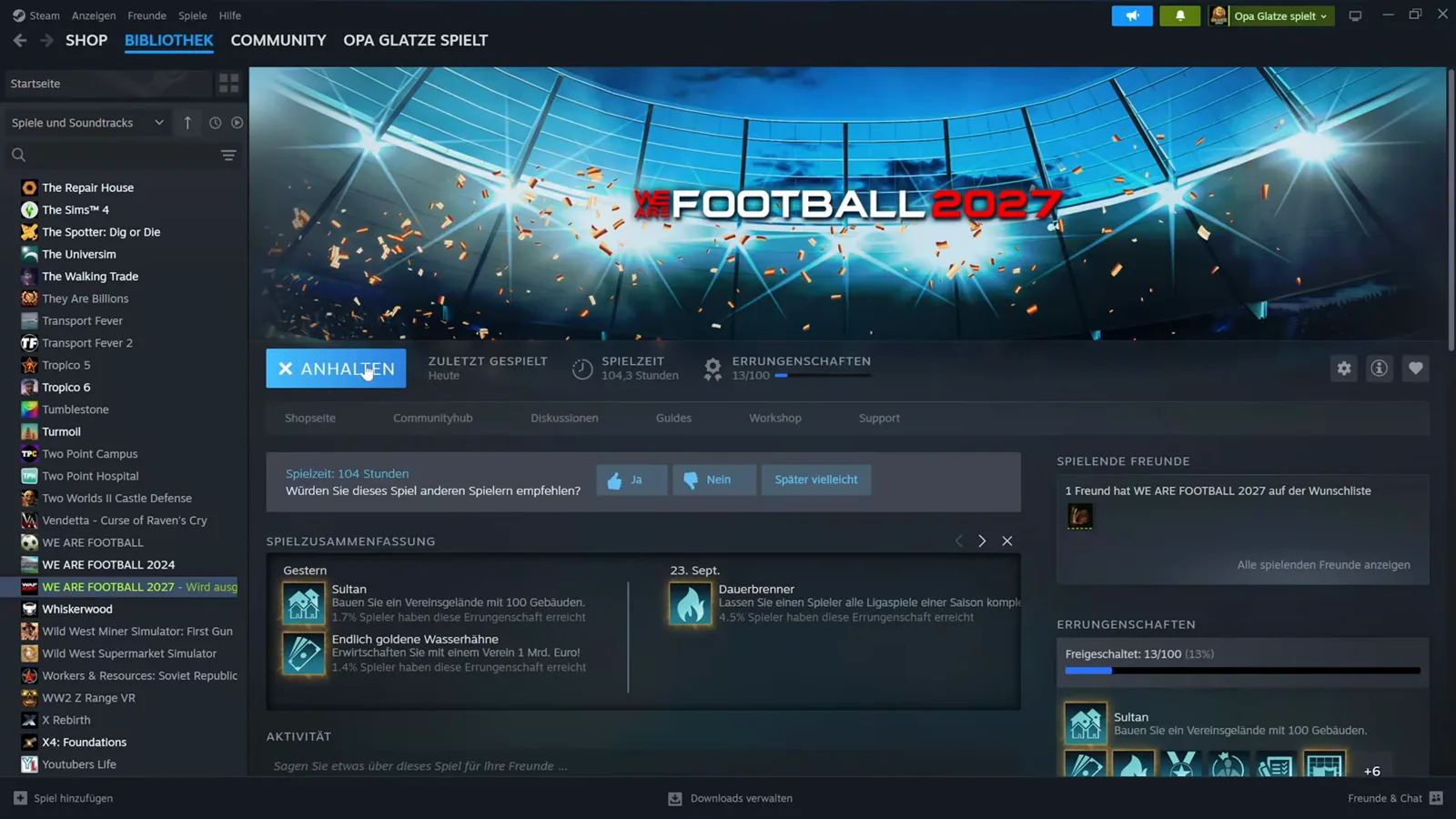
Opa Glatze’s recording shows the same flow the numbered list above sketches — for his Real Names Database, and the Real Clubs & Players entry takes the identical path. In his own words at the video’s start, he had integrated the database once before and forgot to press record, so the video repeats the run; his Workshop download list therefore stays empty on camera where a fresh subscriber’s would show the entry.

WAF 2027 Workshop Tutorial – Real Names Datenbank richtig installieren (Opa Glatze spielt)
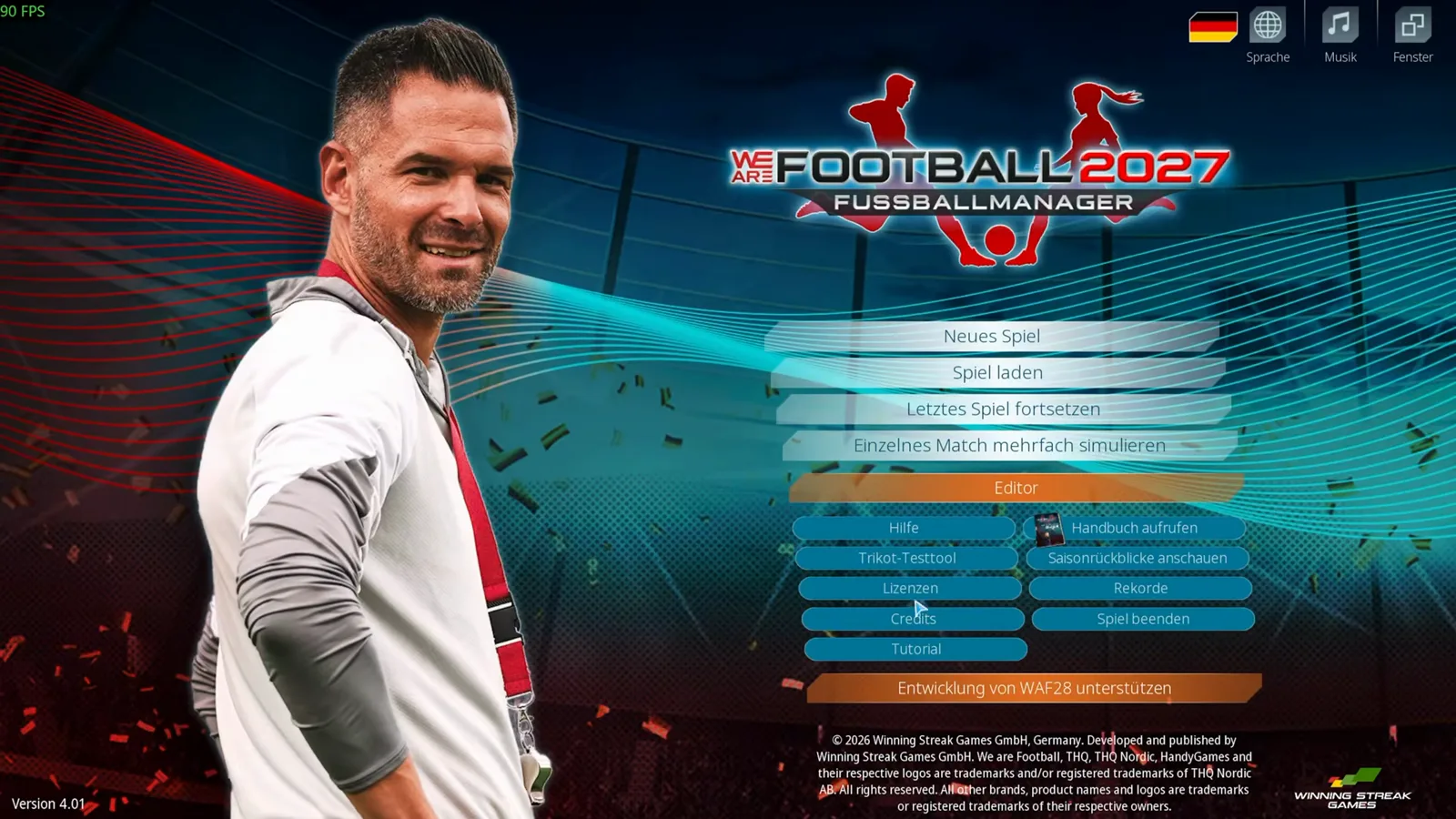
Everything begins from the game’s main menu: the Editor button sits between „Einzelnes Match mehrfach simulieren“ and „Hilfe“, and that is where the video clicks first.
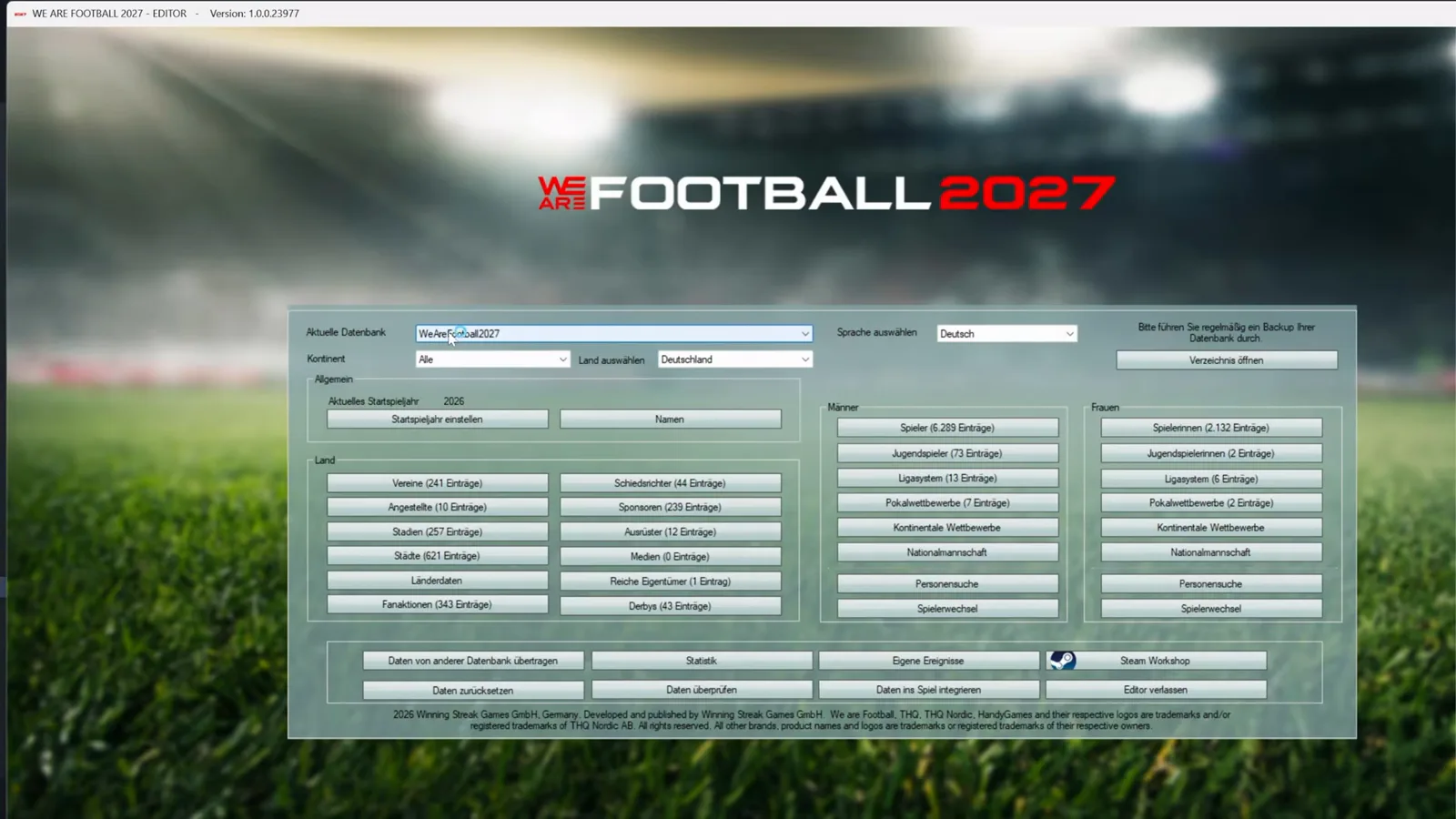
The editor opens on its main window. Worth reading before anything else: the reminder in the top right — „Bitte führen Sie regelmäßig ein Backup Ihrer Datenbank durch“ with the „Verzeichnis öffnen“ button beside it. The „Aktuelle Datenbank“ dropdown shows which database you are about to work on, and the bottom action row concentrates the buttons this page talks about: „Daten von anderer Datenbank übertragen“ on the far left, „Steam Workshop“ on the far right, „Daten ins Spiel integrieren“ in the second row.
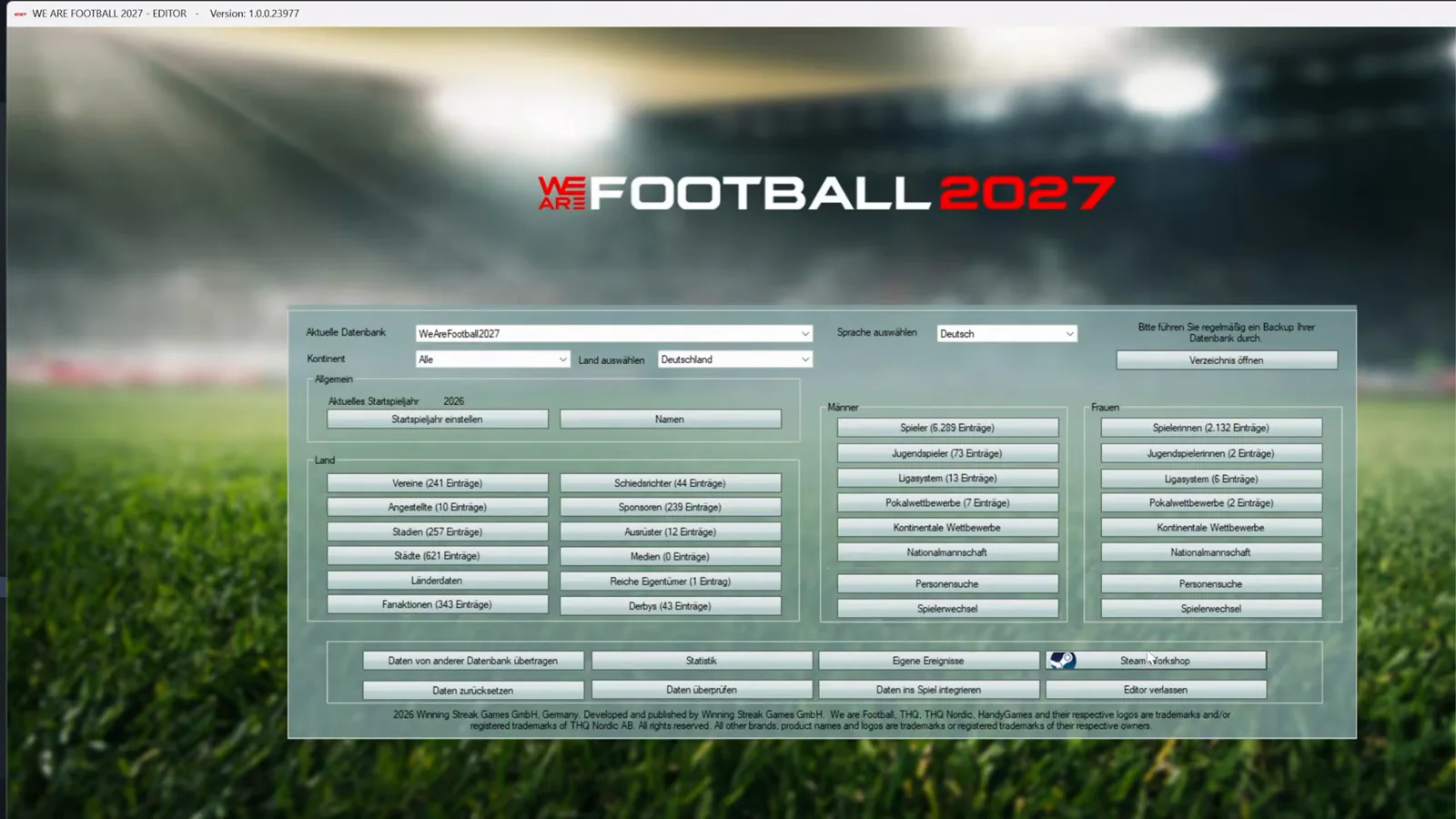
The Workshop dialog opens with two tabs, Upload and Download; the video’s cursor heads for the Steam Workshop button in the bottom row first.
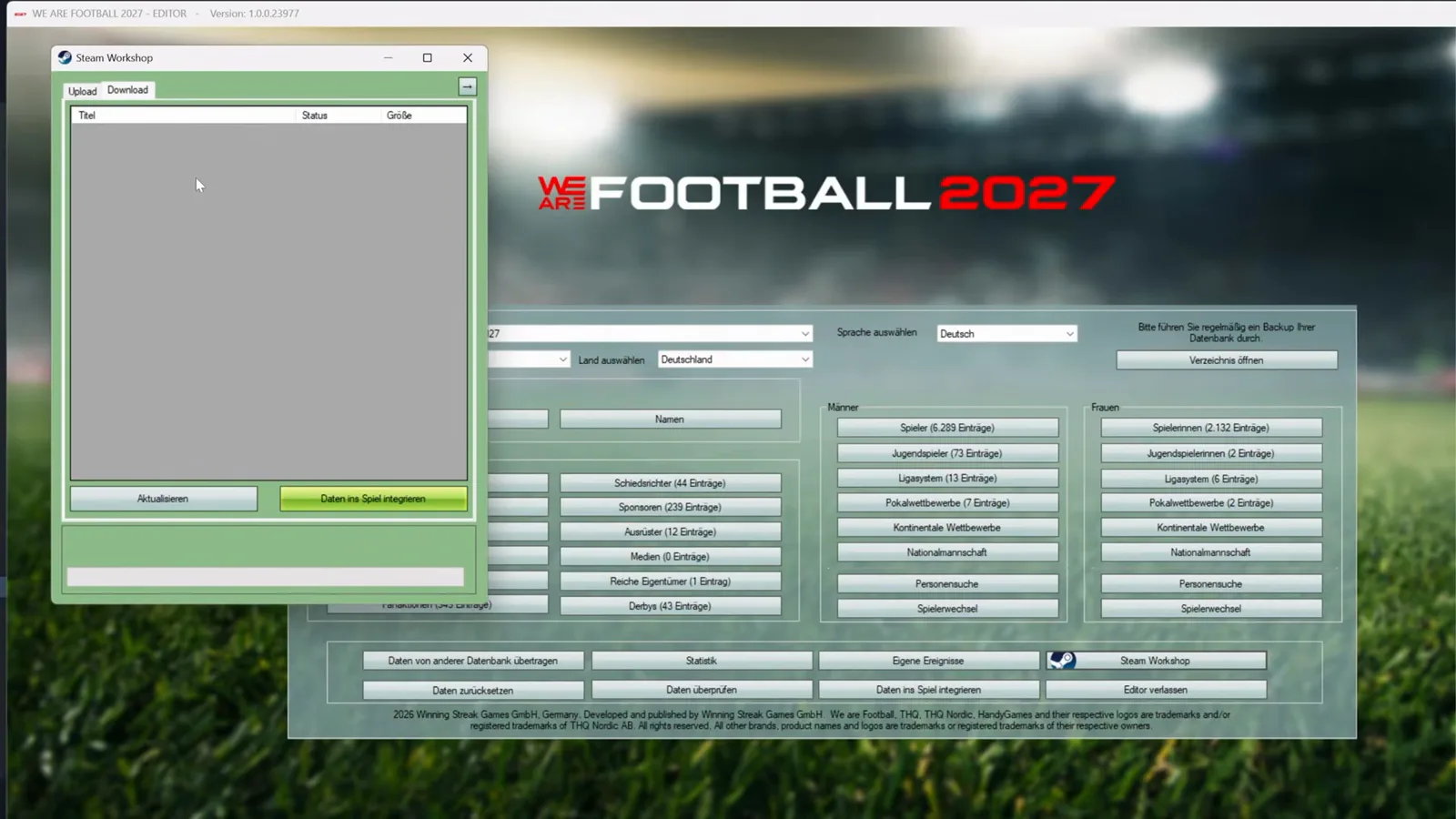
The Download tab is where a subscription lands: columns titled Titel, Status and Größe, an „Aktualisieren“ button — and the green „Daten ins Spiel integrieren“ button that starts the real work. In the recording the list sits empty because the author had already downloaded his own entry earlier; on a fresh subscription the Real Names database appears in this list, and the Real Clubs & Players entry behaves the same way. The step-by-step of this dialog is the mods and Steam Workshop guide’s home turf.
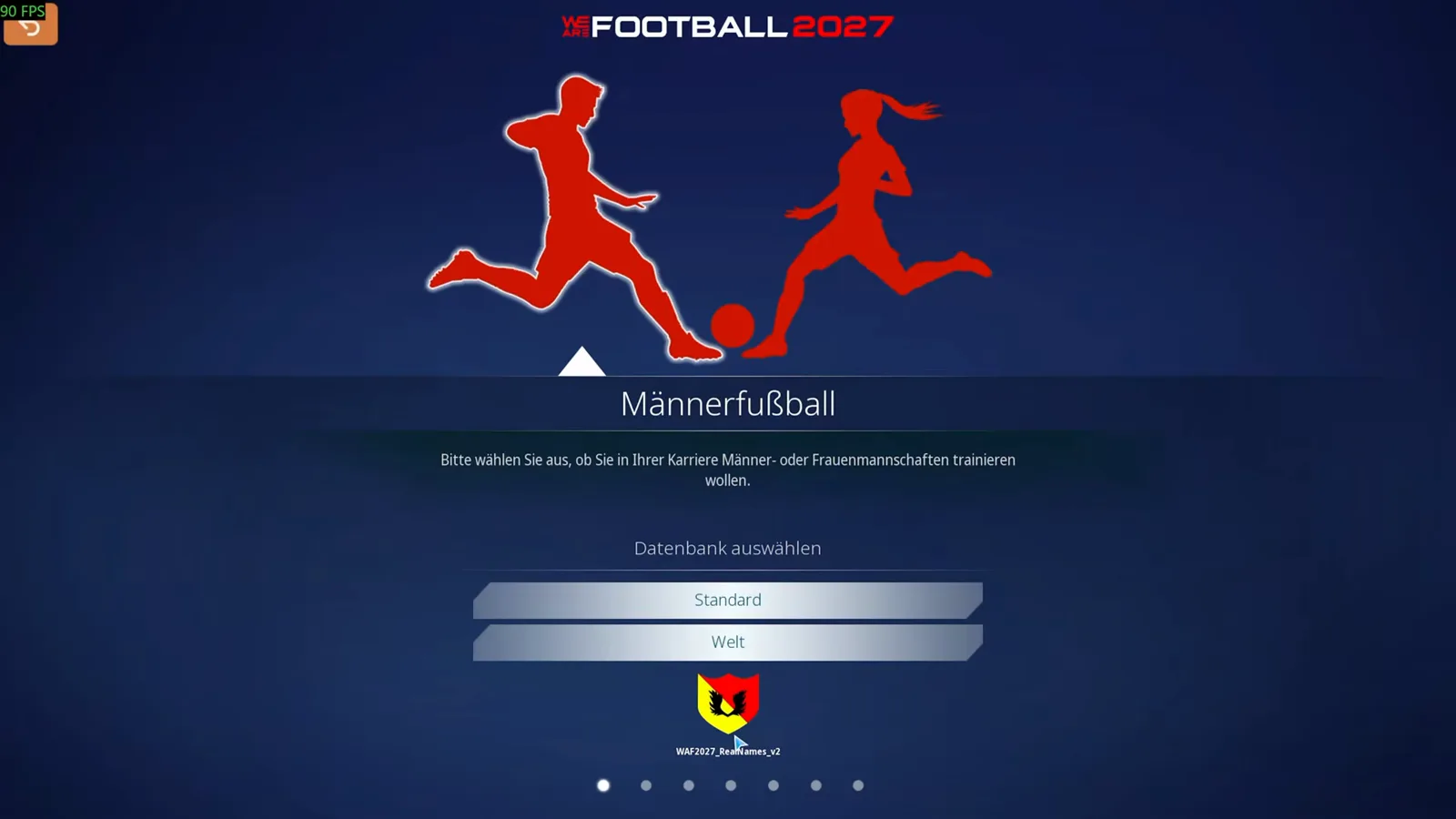
One small window the recording talks over rather than shows: the narrator explains that after integrating, a dialog usually opens asking what the new database should be called — enter whatever you like, he says, only do not reuse the original database’s name (his entry is called „WAF2027_RealNames_v2“). Only after OK does he close the editor and start the game from Steam.
The payoff needs a new career — „this only works with the new game“, per the video. On the career screen the integrated database now waits as a third entry under „Datenbank auswählen“, beneath Standard and Welt, wearing the crest that was assigned to it. The video is emphatic about the click: not Standard, not Welt — the crest.
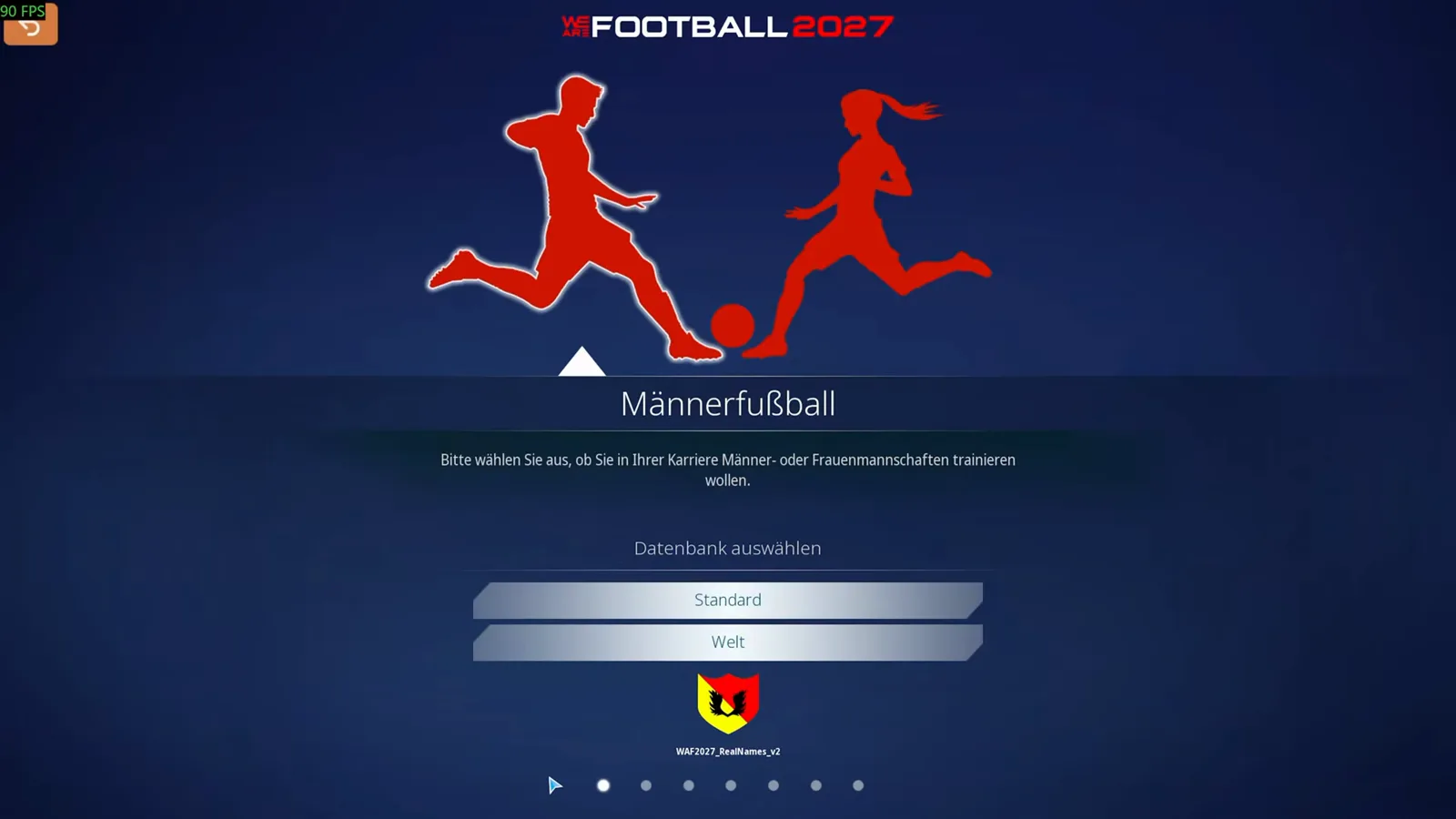
And the video opens and closes on the finished state, because it doubles as the success check: if the third entry with its crest appears beneath Standard and Welt, the integration worked — Standard runs the fictional names, the crest entry runs the real ones.
Savegame Compatibility: What Applies When
Not every patch change behaves the same in an ongoing career. Use this table before expecting instant results:
| Change type | Existing save | New career required? |
|---|---|---|
| Club crests & kit textures | Visible after reload | No |
| Stadium display names | Visible after reload | No |
| Player pictures & badges (name-matched files) | Visible after reload | No |
| Real player names & DOB corrections | Locked to save snapshot | Yes |
| New clubs or league pyramid reshuffles | Not injectable mid-save | Yes |
| Revised promotion/relegation rules | Frozen at save creation | Yes |
| Transfer window dates & squad caps | Frozen at save creation | Yes |
Graphics-only additions are the safest mid-career upgrade — the manual says picture and badge changes “will also take effect for save games that have already been started” (EN p. 39). Names, league structures and other database changes belong to a fresh career.
Activating a Modded Database In-Game
An integrated database does not overwrite anything: at career creation the game lists it alongside the Standard and Welt databases, and the pick you make there is that save’s data for good. Settle the base-database question first with our database choice guide; for deeper hand edits after installation, the same tool is documented in our external editor guide.
Troubleshooting Common Patch Conflicts
Problems with the game itself rather than with a patch — crashes, an editor that refuses to start, updates — are tracked in our troubleshooting and update log; the table below is about patch conflicts only.
| Symptom | Likely cause | Fix |
|---|---|---|
| White or blank crests | File name does not match the normalized club name — the game compares names, not IDs (EN p. 185) | Re-export as 160×160 transparent PNG and name it per the facepack guide rules, then restart the game |
| Wrong names despite patch | Career started before the database was integrated | Names are locked into the save snapshot — start a new career with the modded database selected |
| Editor reads the wrong data | The editor’s Aktuelle Datenbank dropdown points at another database (the tutorial’s own trap) | Check the dropdown before every editing or integrate session |
| Patch priority conflict | Two community sources match the same club | No documented resolution exists — keep one source of truth per club |
Looking to sign elite young stars for your roster? Browse our hand-picked best wonderkids or experiment with custom rules in the cheats and creative mode guide.
Related Guides
patch
WE ARE FOOTBALL 2027 in Spanish: the Community Translation Pack
WE ARE FOOTBALL 2027 ships in English, German, French and, since Update 3, Italian. How the community's one-click Spanish pack works and how fragile it is.
patch
WE ARE FOOTBALL 2027: Facepack & Logo Install Guide
Install facepacks and logo packs in WE ARE FOOTBALL 2027: the official Badges and Players folders, the file naming rules, and where community graphics ship.
guides
WE ARE FOOTBALL 2027 vs 2024: Is the Upgrade Worth It?
WAF 2027 vs 2024 compared: save import, a compressed league pyramid, round-based negotiations, regional cups — and whether the 19.99 € upgrade is worth it.
Was this helpful?
Thanks for the feedback!