WE ARE FOOTBALL 2027 Database Choice: Standard or World at Career Start
Which WE ARE FOOTBALL 2027 database to pick: standard vs world, country and league counts, international competitions, load time and what you can still change.
Frequently Asked Questions
Which database should I pick in WE ARE FOOTBALL 2027?
Can I change the database during a career in WE ARE FOOTBALL 2027?
What does the smiley next to Auslastung mean?
Does deselecting countries make the game faster?
The database question is the one career-start decision that follows you through the entire save — and the one where most people press the first button they see. WE ARE FOOTBALL 2027 asks it right after the men’s or women’s football choice: Datensatz auswählen, two buttons, Standard and Welt. What comes next is not a paragraph of marketing text but a table of numbers, and those numbers decide what your career is capable of.
Two datasets, two sizes
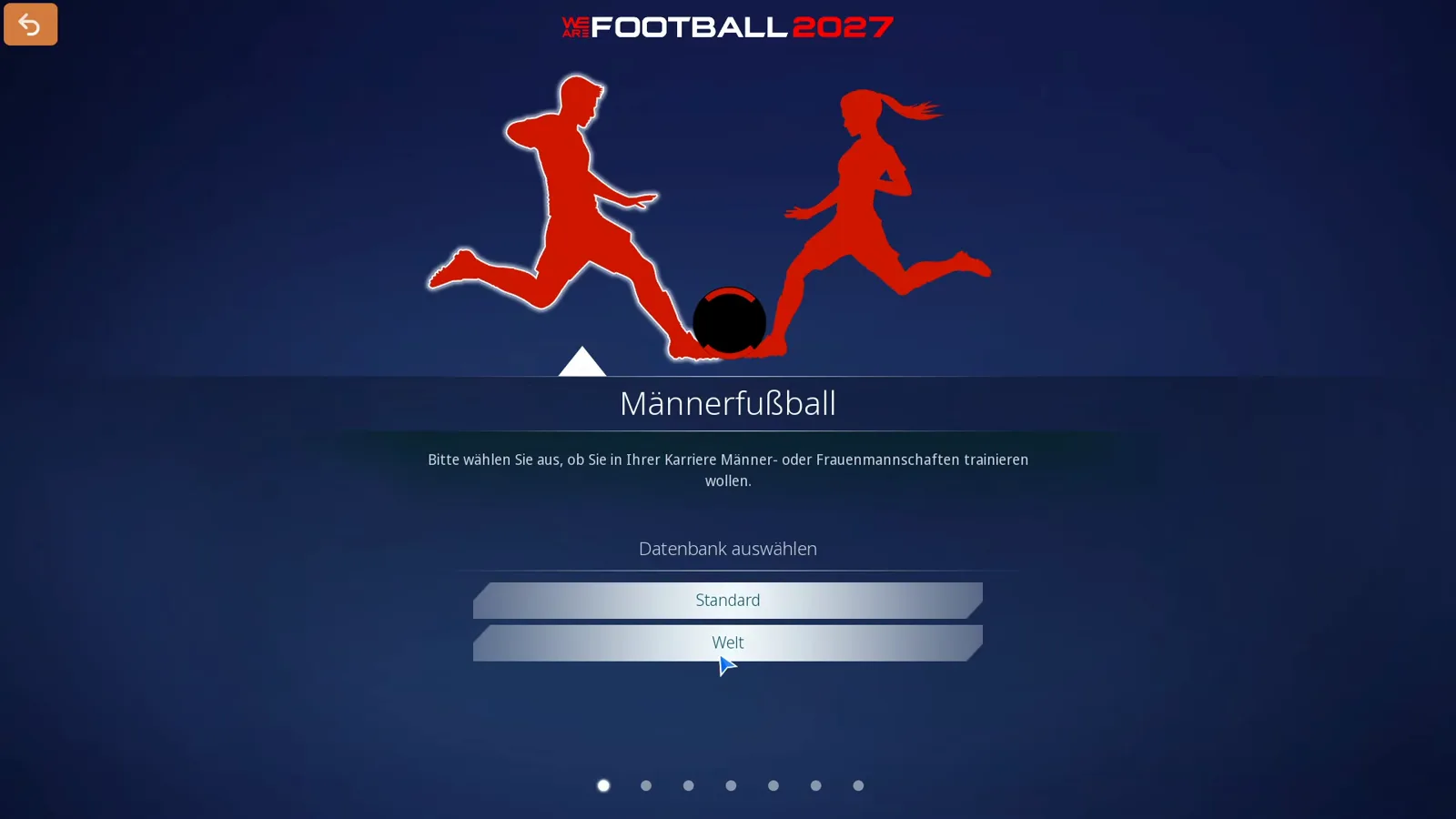
Standard is the slim set, Welt the large one. Both land on the same screen, Simulierte Länder auswählen, where four lines tell you what you are about to buy. On the left sits the continent list — Afrika, Asien, Europa (ausgewechselt), Europa (alle), Nordamerika, Ozeanien, Südamerika — in the middle the country table with the columns Land, Liga and Vereine, on the right the counters.
Standard first, and deliberately with the whole world switched on so the comparison is honest:
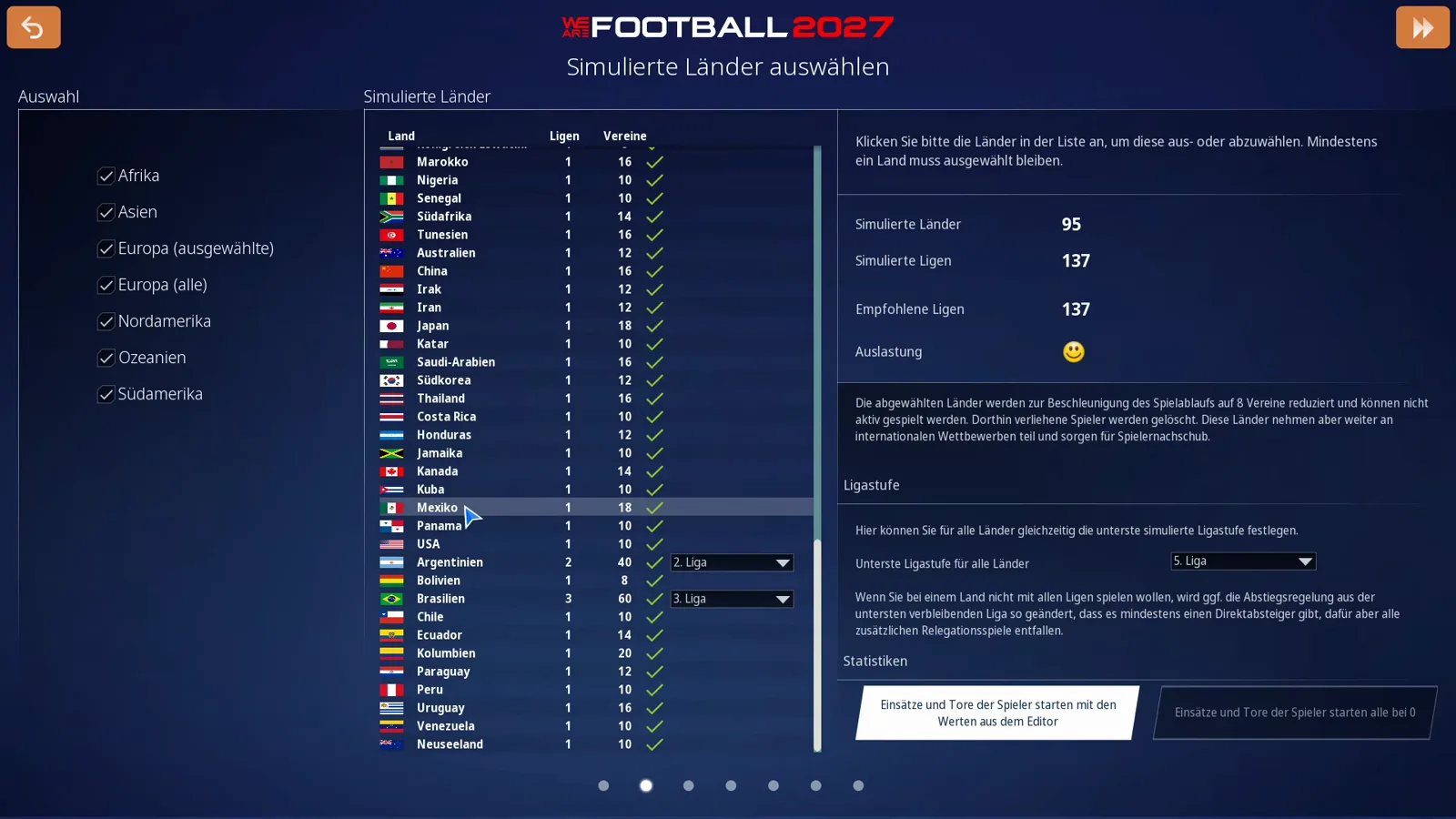
95 countries, 137 simulated leagues, and a neutral face in the Auslastung line. The world database next to it:
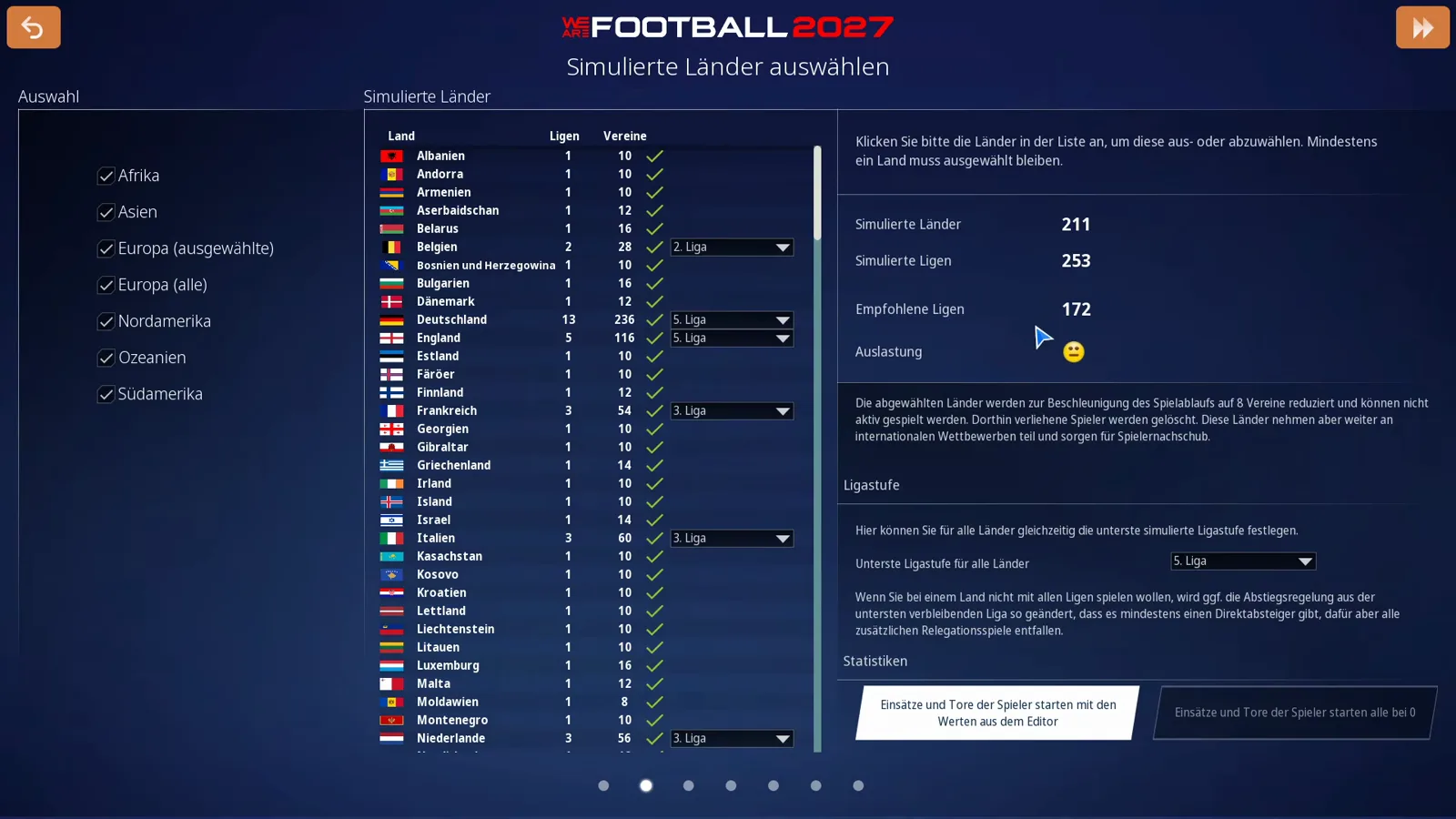
211 countries, 253 simulated leagues, 172 recommended leagues. The difference is not only volume but reach: the country table lists Germany at 11 leagues and 206 clubs, and the big football nations carry double- and three-digit league counts. That is the author’s reason for staying loyal to the large set — he wants to be able to win a continental title on every continent, including the Solomon Islands, Tahiti, Tonga or Vanuatu, and in a later episode he mentions his save almost in passing: “I am using the world database, by the way. It is just a bit slower. I always take the big one, I never settle for the standard.”
What the standard database genuinely cannot do
This is the question the forums keep asking, and the tutorial answers it with a test rather than a guess. He starts on the standard database, leaves the whole world selected, picks Mexico and opens the club list.
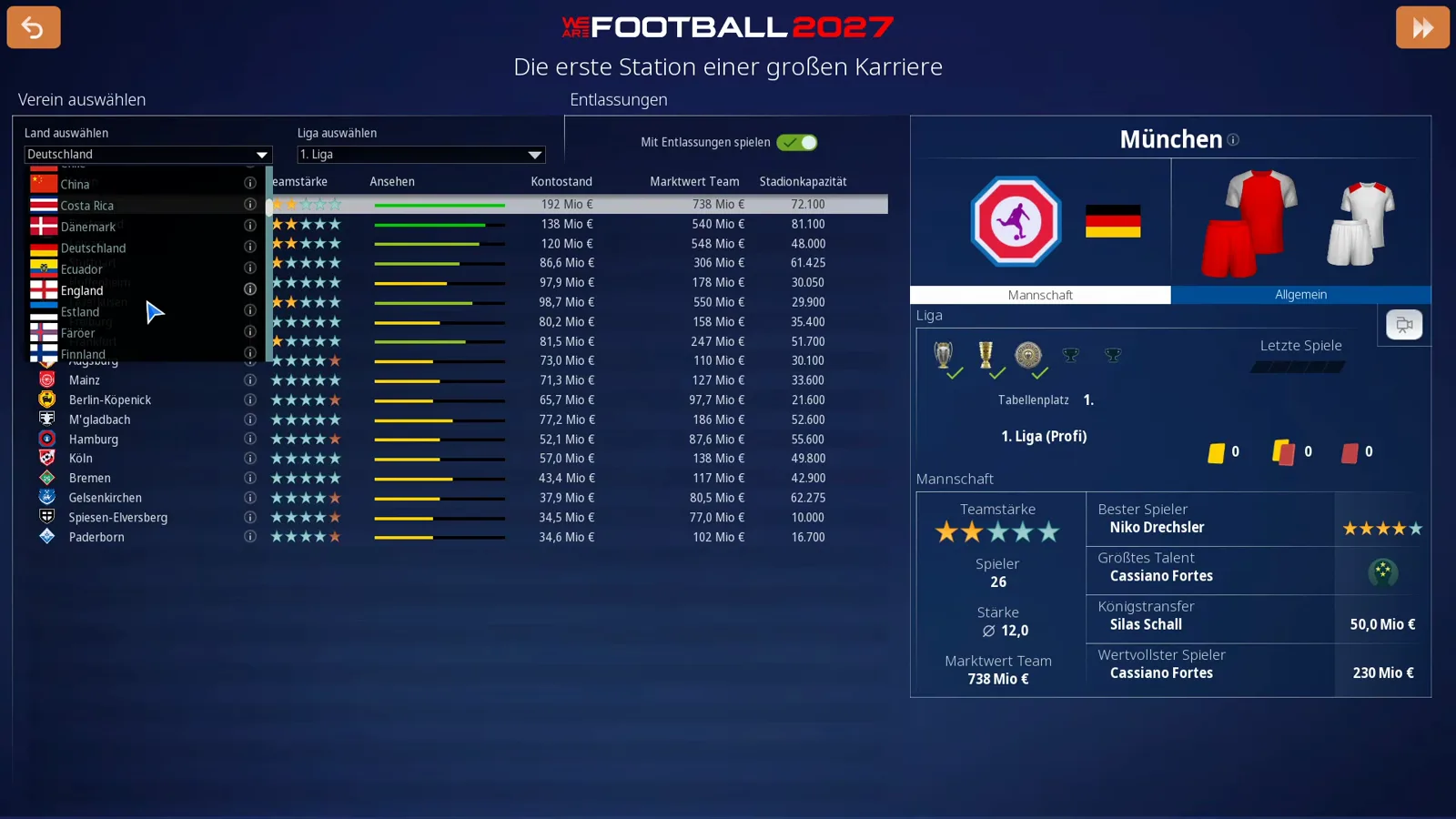
The Mexican first division is playable, and that is the trap: what is missing is the rung above it. In his words, “and then they have no international competition here. The qualification places are not colour-coded. It does not exist.” His verdict after the test is blunt — international competitions are not supported by the standard database — and he puts the set down and goes back to the world one.
For career planning that is concrete. If you want to take a small association through continental competitions for the money and the titles — Mexico is exactly the beginner country recommended for that in our difficulty settings guide — you need the world database. If you intend to stay in Europe and value fast calculation, standard serves you fine. And because club names are invented in both sets, the database question is not the naming question: licences, crests and real squads are the job of the real name database patch, which drops its files into your Documents folder.
The three dials that lower the load
Bottom right of the screen sit three controls, and every one of them moves the counters live.
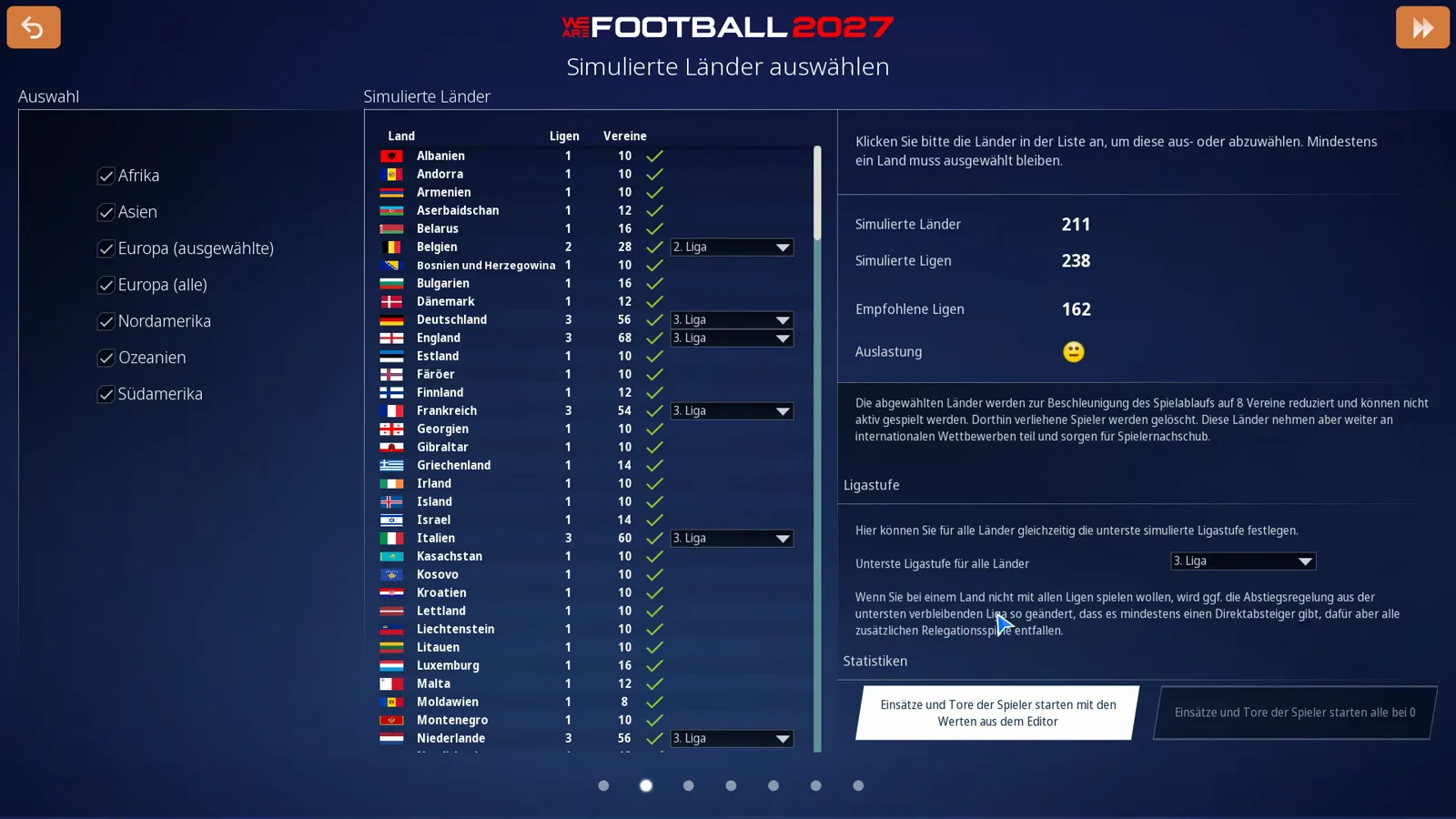
First: the league tier. Under Ligenpfad, the dropdown Simulierte Ligastufe für alle Länder sets the lowest league that is still fully simulated — first through fifth division. Going down is exactly what the author describes: “If somebody says I do not need to start below the third division, they can reduce their data set accordingly and thus have the opportunity to start as a coach in the third division.” In the test the panel drops from 253 to 238 simulated leagues and from 172 to 162 recommended leagues, while the country count stays untouched at 211.
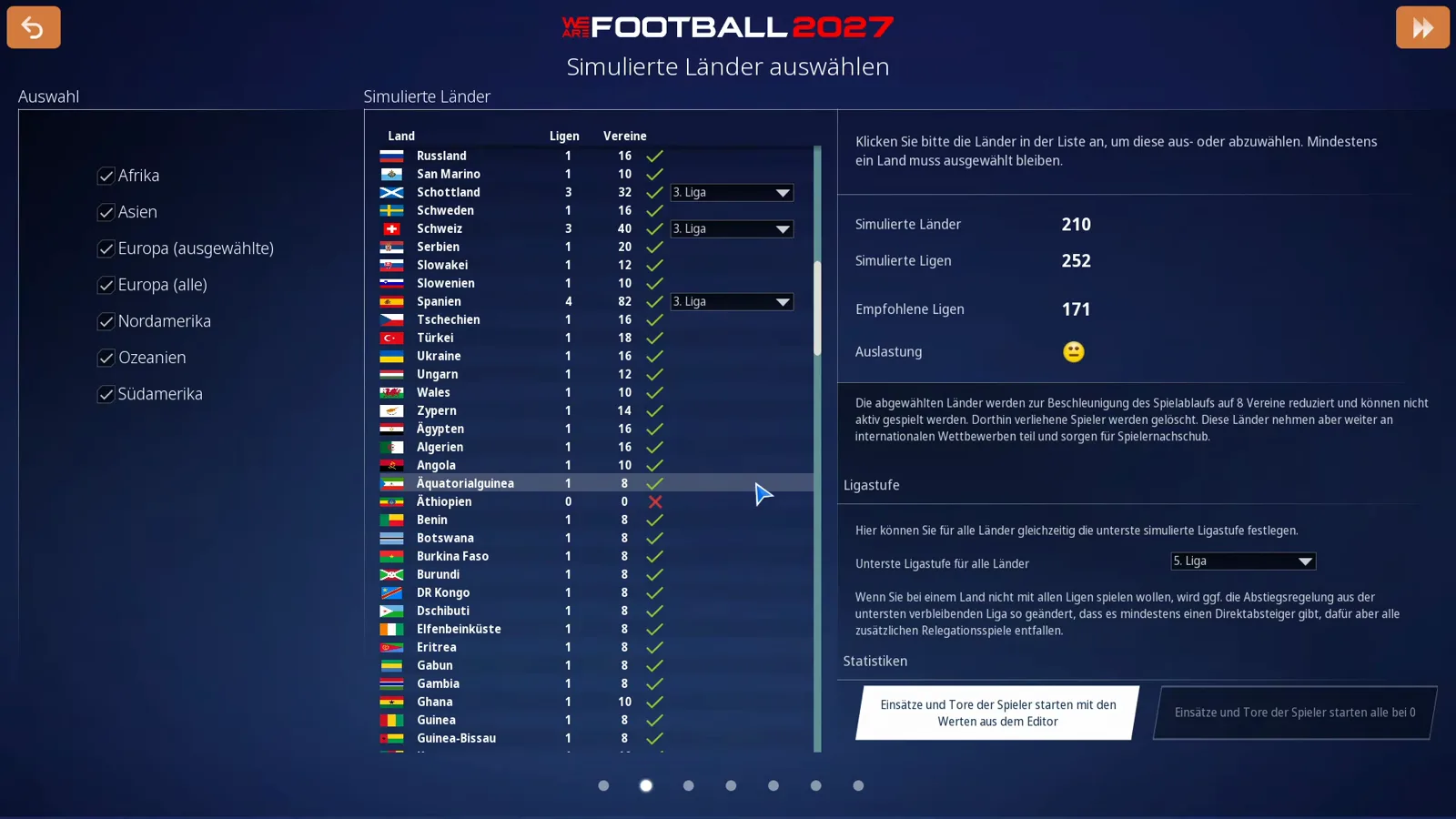
Second: single countries. The tickboxes take whole nations out — in the screenshot one, and the board counts down from 211 to 210 countries, 253 to 252 leagues and 172 to 171 recommended. The author justifies it cheerfully: “I never want to manage Moldova anyway, so out it goes,” or Ethiopia — “there are still a few clubs from there so they can take part internationally, but there is no longer a playable league operation, and that relieves the database.” Understand what “out” means: a deselected country does not disappear from the world. It is reduced to eight clubs, keeps simulating in the background, still enters international competitions and still produces players for your transfer market. It is only no longer playable, and you cannot drop to zero — at least one country has to stay selected. The full click path through the wizard, language and window mode included, is in the first-setup guide.
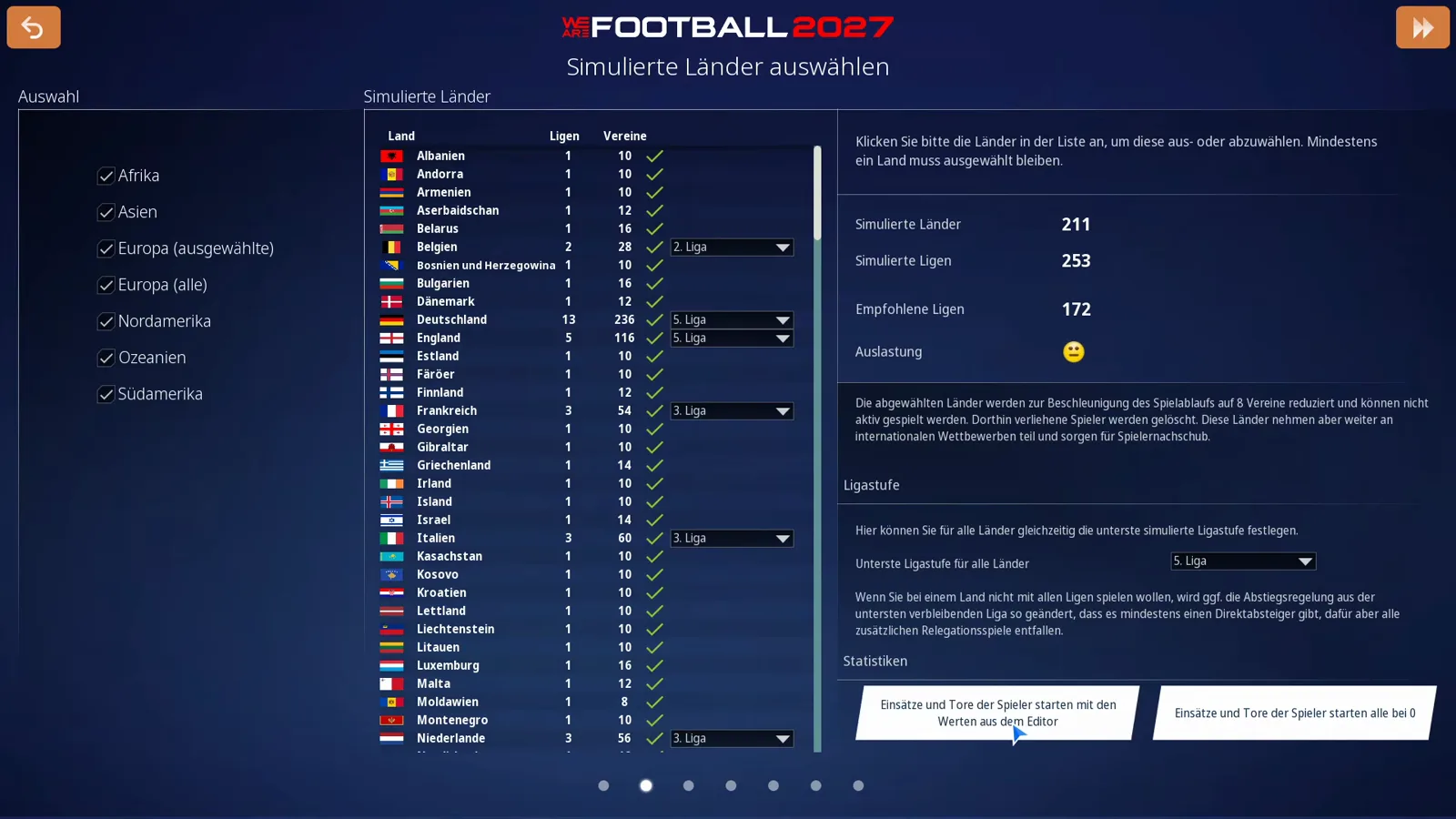
Third: the statistics start. Under Statistiken two radio buttons decide whether your save begins with a history: Einsätze und Tore der Spieler starten mit den Werten aus dem Editor reads the database values for appearances and goals at the start of the season, Einsätze und Tore der Spieler starten alle bei 0 sets everything to zero. The author describes the difference more philosophically than it needs: in the first case the world existed before you arrived, in the second it is created the moment you enter it. For test runs and challenge saves the zero option is the cleaner one — otherwise you start with players whose form curve comes from an editor you never looked at.
The smiley in the Auslastung line
The fourth counter is the one that makes people nervous. Auslastung shows a face, and the face stops being friendly as soon as you sit far above the recommendation — with 253 simulated against 172 recommended leagues, the full world set triggers it automatically.
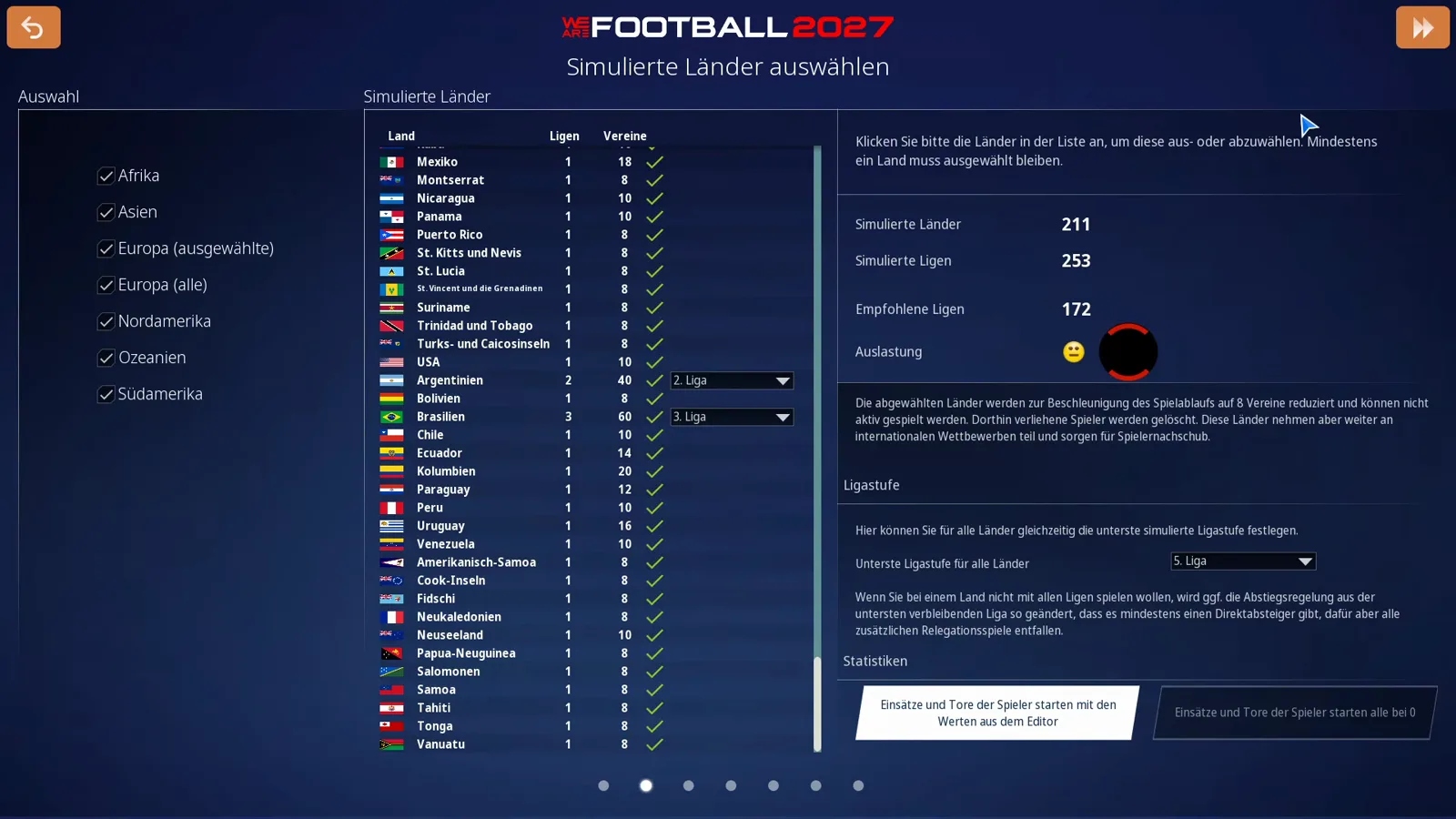
He takes it lightly and has done for years: “We are far above average and far above the recommendation, and that is why we have a smiley here looking at you. But that has never interested me about WE ARE FOOTBALL. I have been playing this game with a smiley like that for a long time, because these databases simply work differently here.” What it means in practice he also says: the calculation just takes a little longer. If that bothers you, use the three dials above; if you plan long careers or lean on the spectator mode anyway, the wait is a one-off price at save creation.
What the choice does not cover
Three things sit on the other side of that line and get mixed into the same question constantly. Licences: whether real association names, crests and squads appear has nothing to do with database size — both sets work with invented names, and the real fix is the real name patch. The editor: your own clubs, leagues and datasets are built with the tool in the editor guide, and its exports are activated as an additional dataset at career start, not as a replacement for the standard-or-world question. Hardware: how fast the world set calculates on your machine depends on CPU and RAM, not on the variant; the figures are in the system requirements guide.
Once the save is running, the question is closed: the options menu displays the value as a fact, not as a control — Verwendeter Datensatz, in the example Standard Datensatz, on the Gameplay tab. Where exactly that line sits and what else the menu hides is mapped in the controls and menus guide. And what decides a career after the start is mostly how you schedule your drills — handed over to the training plan guide.
Related Guides
guides
WE ARE FOOTBALL 2027: Career Mode & Game Modes Explained
Realistischer Modus vs Kreativmodus, the six career starting points, and what a week, a transfer window and a season in a real save look like.
guides
WE ARE FOOTBALL 2027: Difficulty Settings and Career Start Options
All ten WE ARE FOOTBALL 2027 difficulty lines explained: presets, budgets, transfer market, scouting, job security, injuries, fines, start country and contract.
guides
WE ARE FOOTBALL 2027: Install, First Launch & New-Game Setup Guide
How to install WE ARE FOOTBALL 2027 on Steam and start your first save: language choice, database scope, manager creation, difficulty and club selection.
Was this helpful?
Thanks for the feedback!