WE ARE FOOTBALL 2027 Team Talks and Heatmaps: Match Day Control Explained
Team talks and heatmaps in WE ARE FOOTBALL 2027: the Halbzeitansprache dialog at halftime, one-on-one Spielergespräche, Extra-Motivation! and the heatmap tabs.
Frequently Asked Questions
How do halftime team talks work in WE ARE FOOTBALL 2027?
How many extra motivational speeches can you use per match?
How do you read the heatmap in WE ARE FOOTBALL 2027?
What does the Teamfortschritt screen show after a match?
Most guides to WE ARE FOOTBALL 2027 stop at the lineup screen. The match itself — the part where you spend seventy of your ninety minutes — gets a whole instrument panel, and two of its instruments matter more than the rest: the Halbzeitansprache at the break, when you can still reset an underperforming side, and the Heatmap, which after the final whistle tells you honestly why the scoreline looks the way it does. This page walks both through a full sample match, from the first minute to the Teamfortschritt screen, and keeps the surrounding match-day screens close enough that the journey makes sense. New to the game entirely? The beginner guide gets your save started first.
The match-day screen: everything on one monitor
The video spends its first ten minutes on the paused kickoff screen, and rightly so: the clock in the corner shows only 45 minutes per half with the remainder red for stoppage time, the lineups of both clubs sit side by side with strength, chance distribution and possession beneath, the results ticker and the live league table run along the edge, and coach benches are one click away. While the ball rolls, the 3D view interrupts for chances and goals — the video’s sample match produces its only goal in minute two, announced by the Tor! banner below.
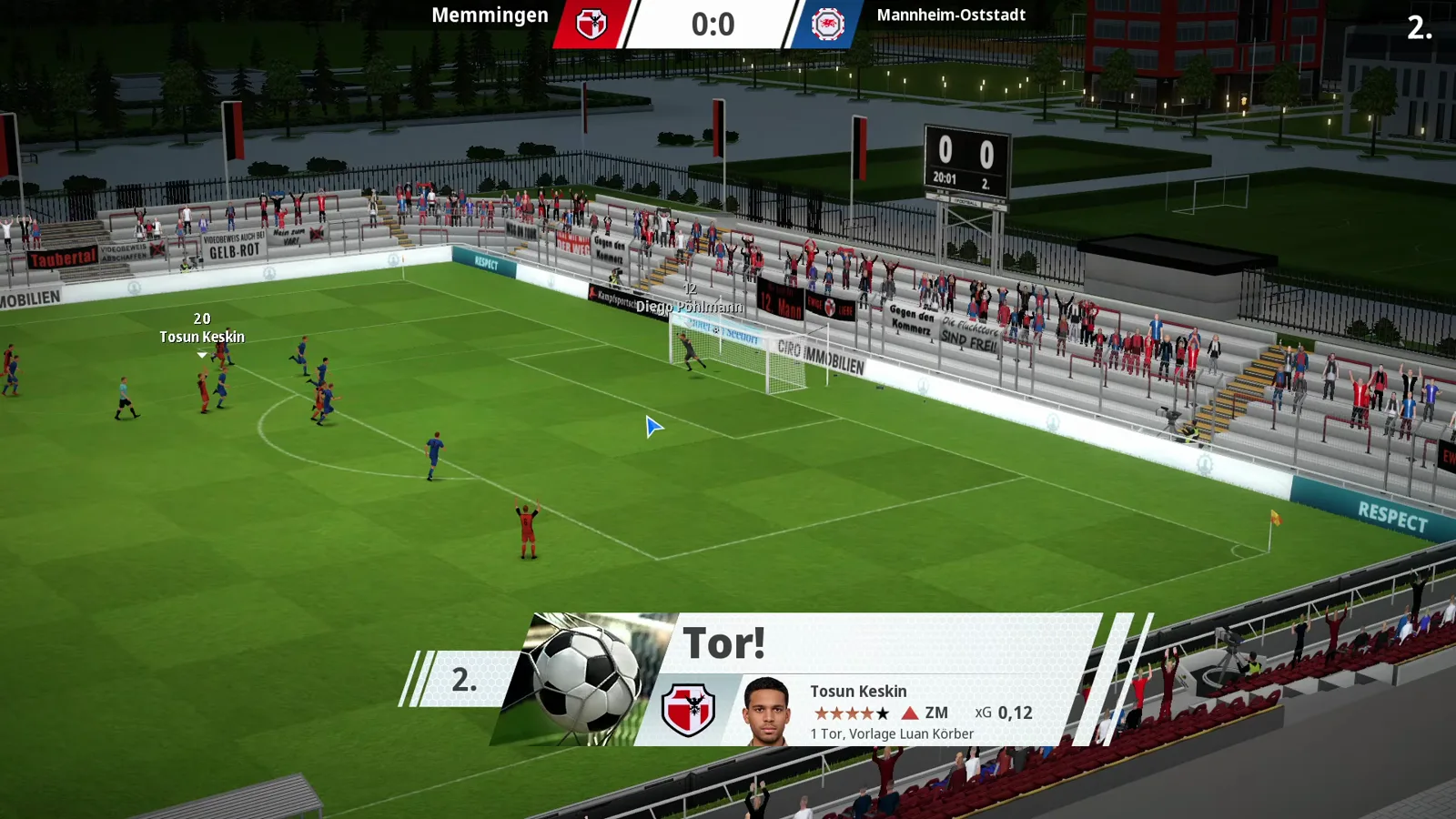
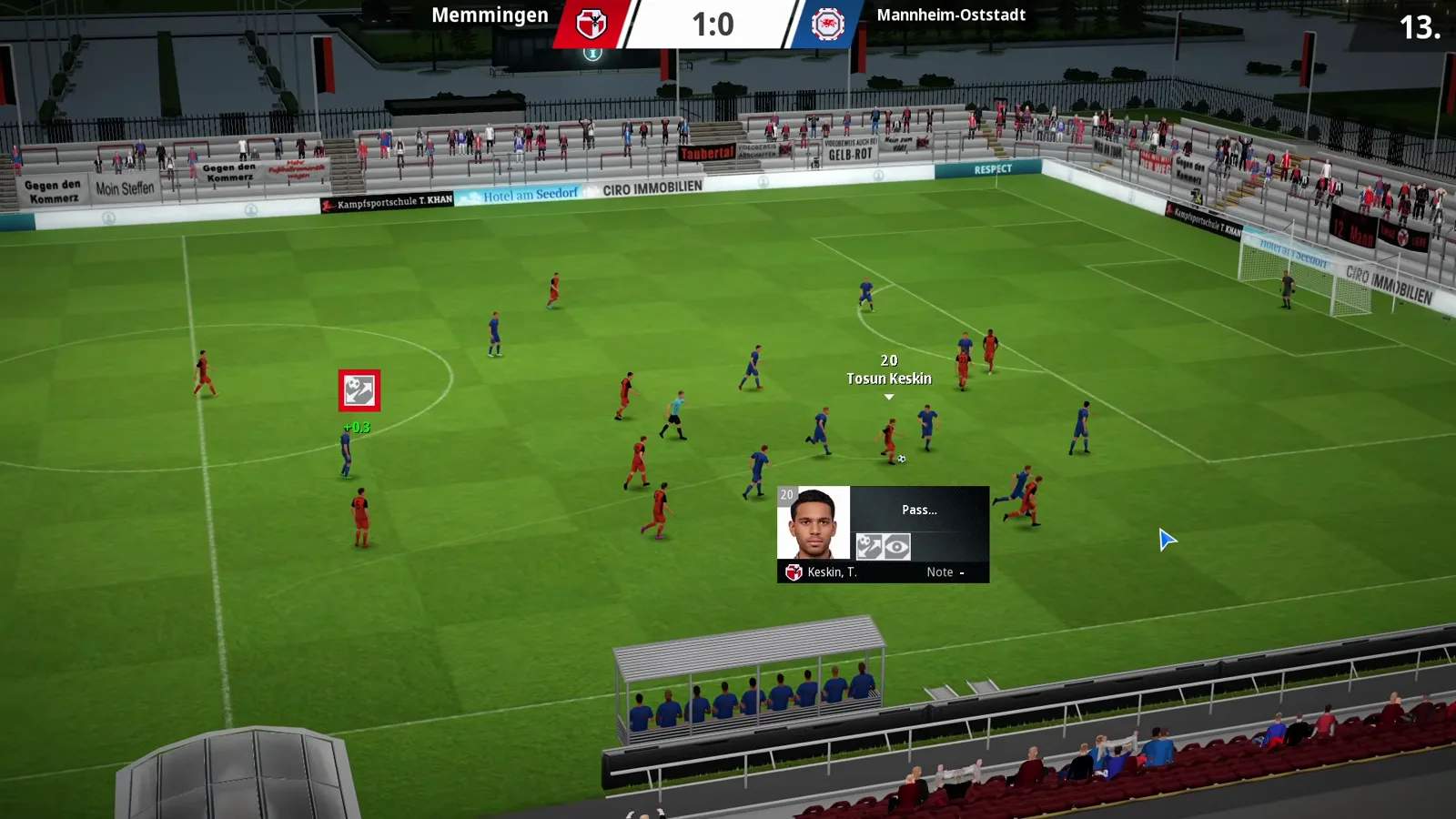
Those interruptions carry small infoboxes that break a scene down into the skills involved — in this very shot the infobox trails Tosun Keskin and highlights his passing bars. The author’s advice for beginners: leave them on for a while, because they show why a chance died — the pass that never arrived, the cross the keeper could not claim. He usually plays with them off and switched them on for the tutorial; their display duration lives in the 3D-Match-Optionen, alongside the decision-point pop-ups (a 3-second timer, endless pause or off — he recommends endless, so a missed prompt does not decide your match) and the simulation pace.
One practical trick from the video: after a scene plays, press the spacebar to pause the game minute — otherwise scenes chain into each other and you never reach the substitution screen in peace. The full control set is in the controls guide.
Halbzeit: the dressing room and the team talk hub
At the break the screen flips to Halbzeit 46. — every player standing on the dressing-room pitch view with their current grade above their head, the full squad list beside them, and the condition and freshness rings of both clubs in the header. The video’s side goes in 0:1 down with grades to match. Bottom right waits the red team talk panel, and it is busier than its size suggests.
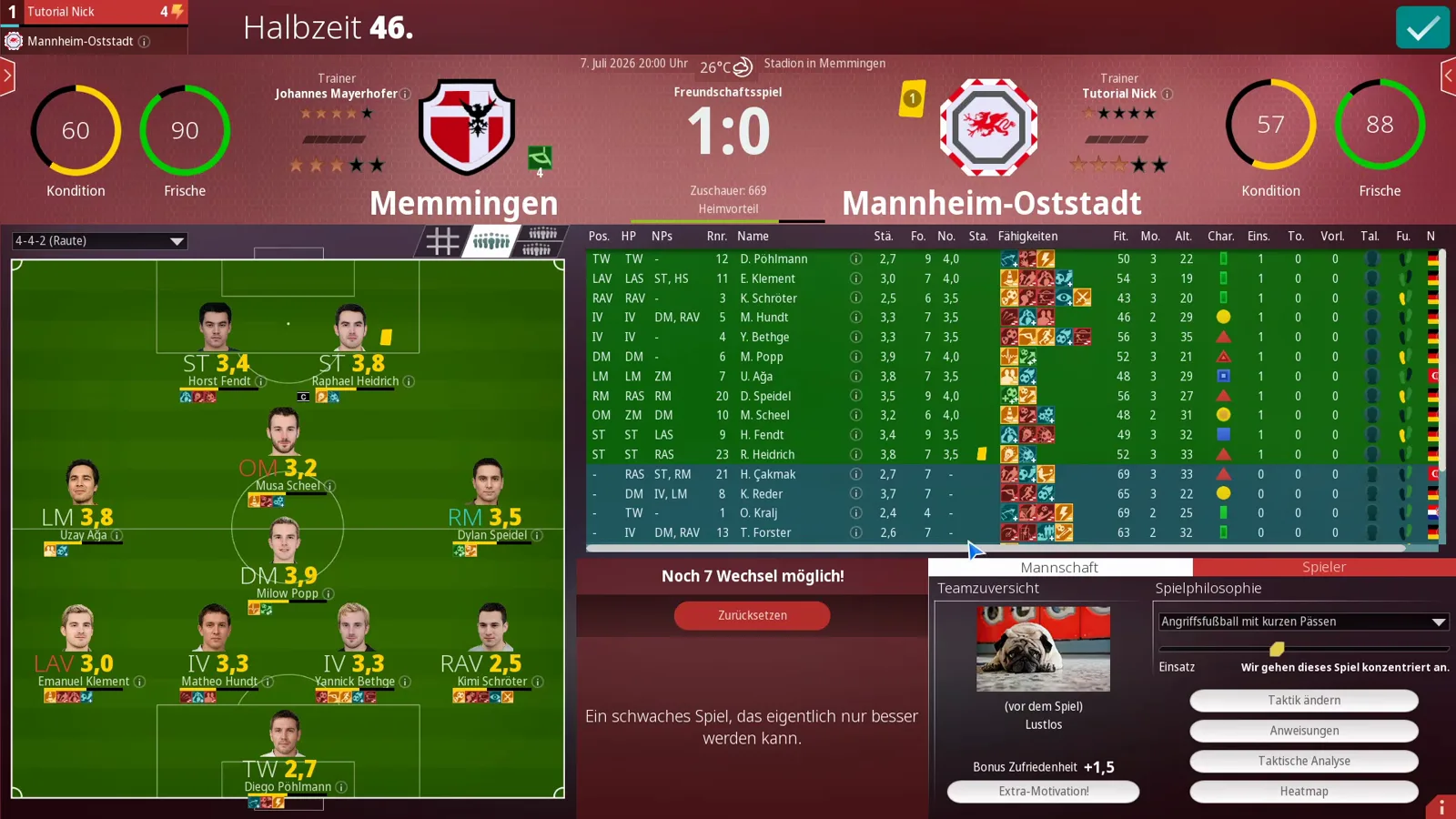
The panel splits into two tabs, Mannschaft and Spieler. On the Mannschaft tab, Teamzuversicht shows how your side entered the match — the video’s card reads „(vor dem Spiel) Lustlos“, listless before kickoff, which the coach suspects explains the flat first half. Directly under it sits the Extra-Motivation! button; applying it bought a Bonus Zufriedenheit of +1.5 in the video.
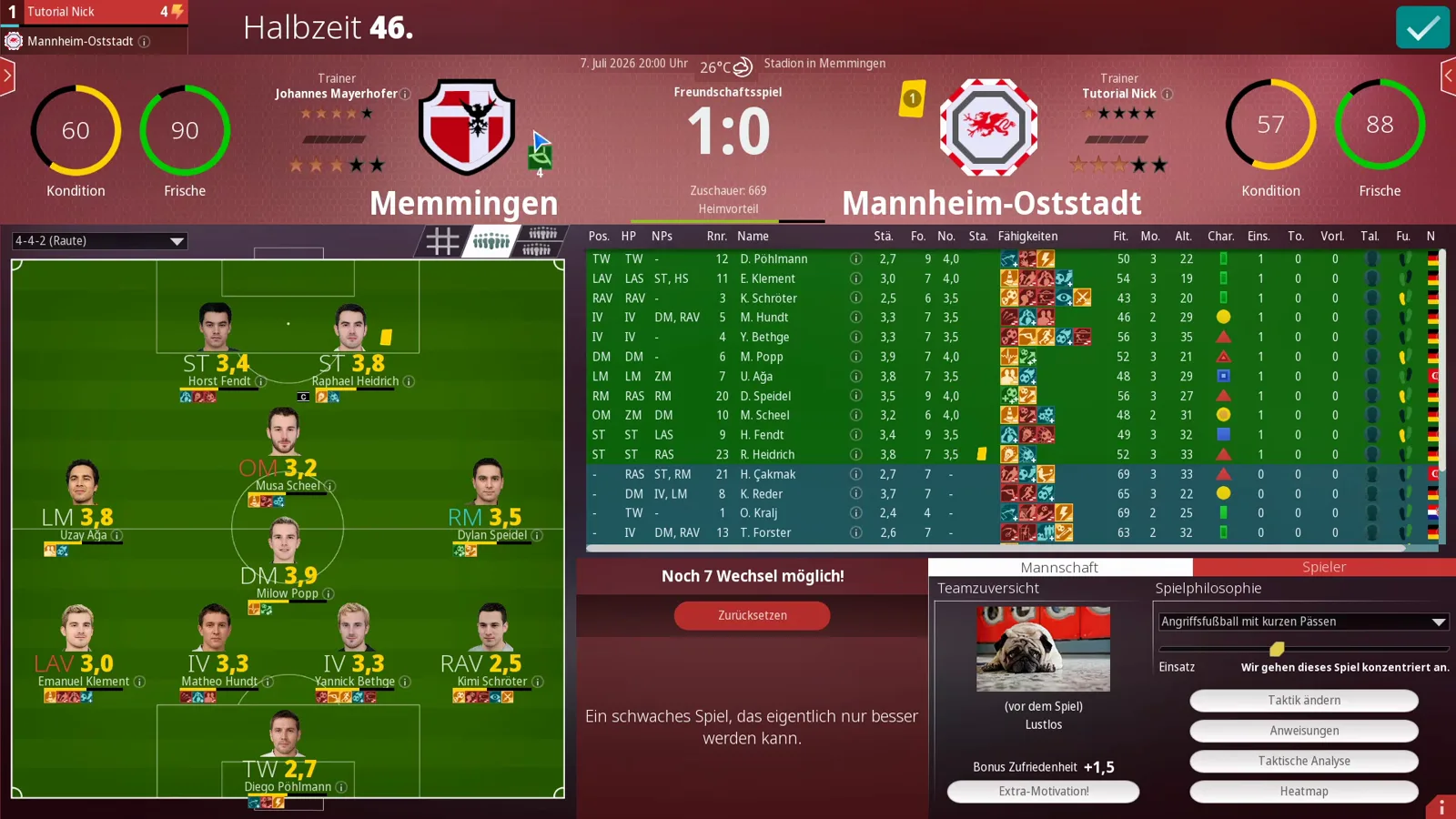
The right half is the tactical half: the Spielphilosophie dropdown (here „Angriffsfußball mit kurzen Pässen“) and the Einsatz slider — set to „Wir gehen dieses Spiel konzentriert an.“ in the shot — plus four jump buttons, Taktik ändern, Anweisungen, Taktische Analyse and Heatmap. Half-time is therefore not a pause but a checkpoint: adjust belief, adjust approach, then send them out. What the talks change under the hood beyond the shown satisfaction bonus is not shown in the video; how satisfaction feeds the longer arc lives in the morale and satisfaction guide.
Spielergespräche: one-on-one player talks
Click any player on the dressing-room pitch and the panel switches to the Spieler tab with the Spielergespräche list — five fixed tones, from praise to full hair-dryer: „Du spielst super!“, „Du spielst gut!“, „Das kannst du besser!“, „So eine Halbzeit will ich nicht mehr sehen!“ and „Du machst heute hinten dicht!“.
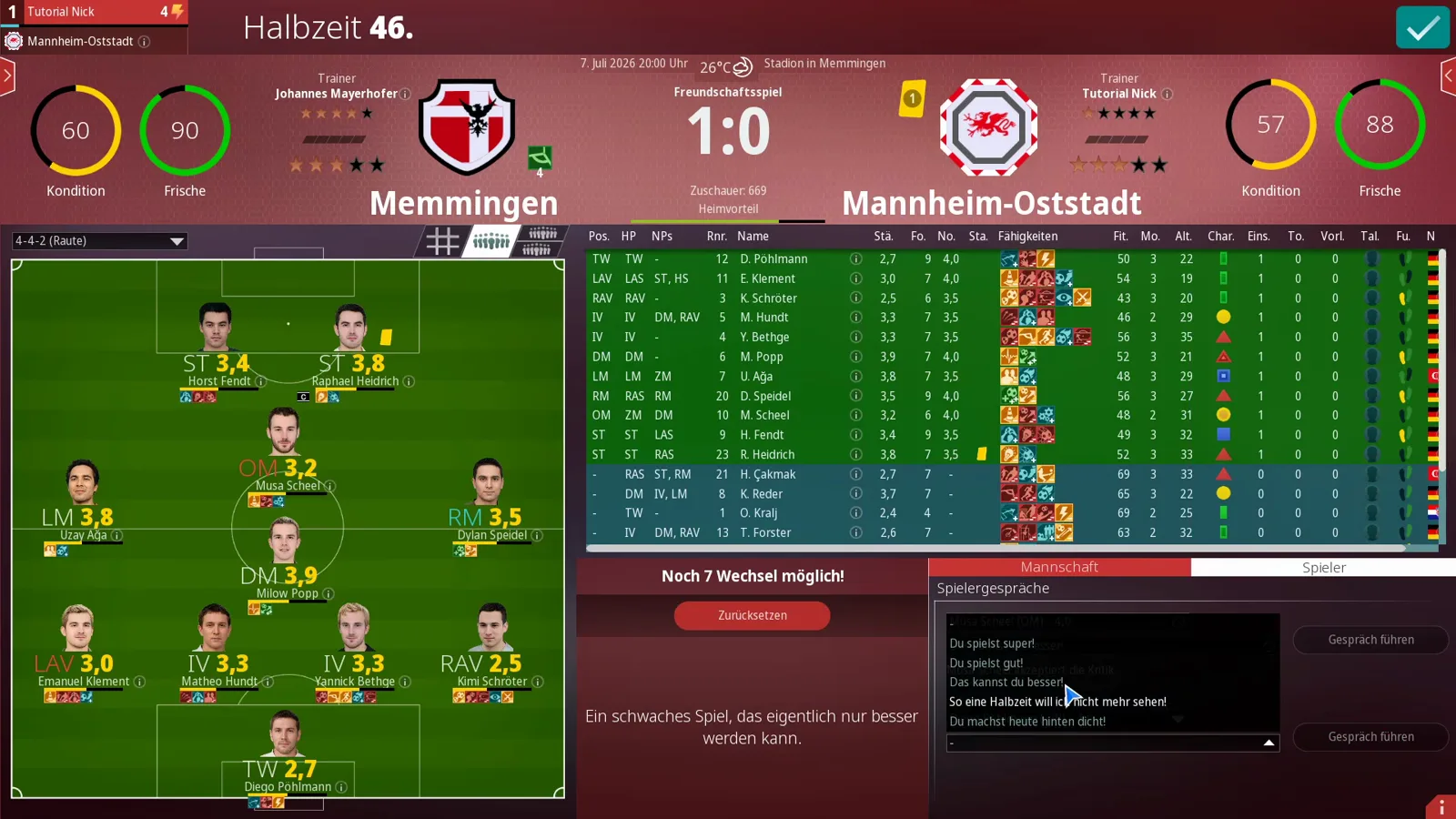
The video picks „Das kannst du besser!“ for a 4.0-grade attacker and the log answers: „Musa Scheel akzeptiert die Kritik.“ — he accepts the criticism. The author’s read: a mediocre grade accepts the criticism, a top performer might not — but whether that scales exactly this way for every player and grade is not shown in the video, so treat it as his rule of thumb, not a game-stated mechanic.
Halbzeitansprache: the external motivator
The Extra-Motivation! button opens the Halbzeitansprache dialog, and it is charmingly literal: a picture card, a note that specialists with over twenty years of experience will hold a motivational speech for your team, and a counter — „Noch verfügbar: 10“ — ten external speeches for this match. The Auswahl dropdown chooses the speaker’s flavor: Automatisch, Ostwestfale or Engländer. Confirm the selection and the saying lands, with its satisfaction bonus attached.
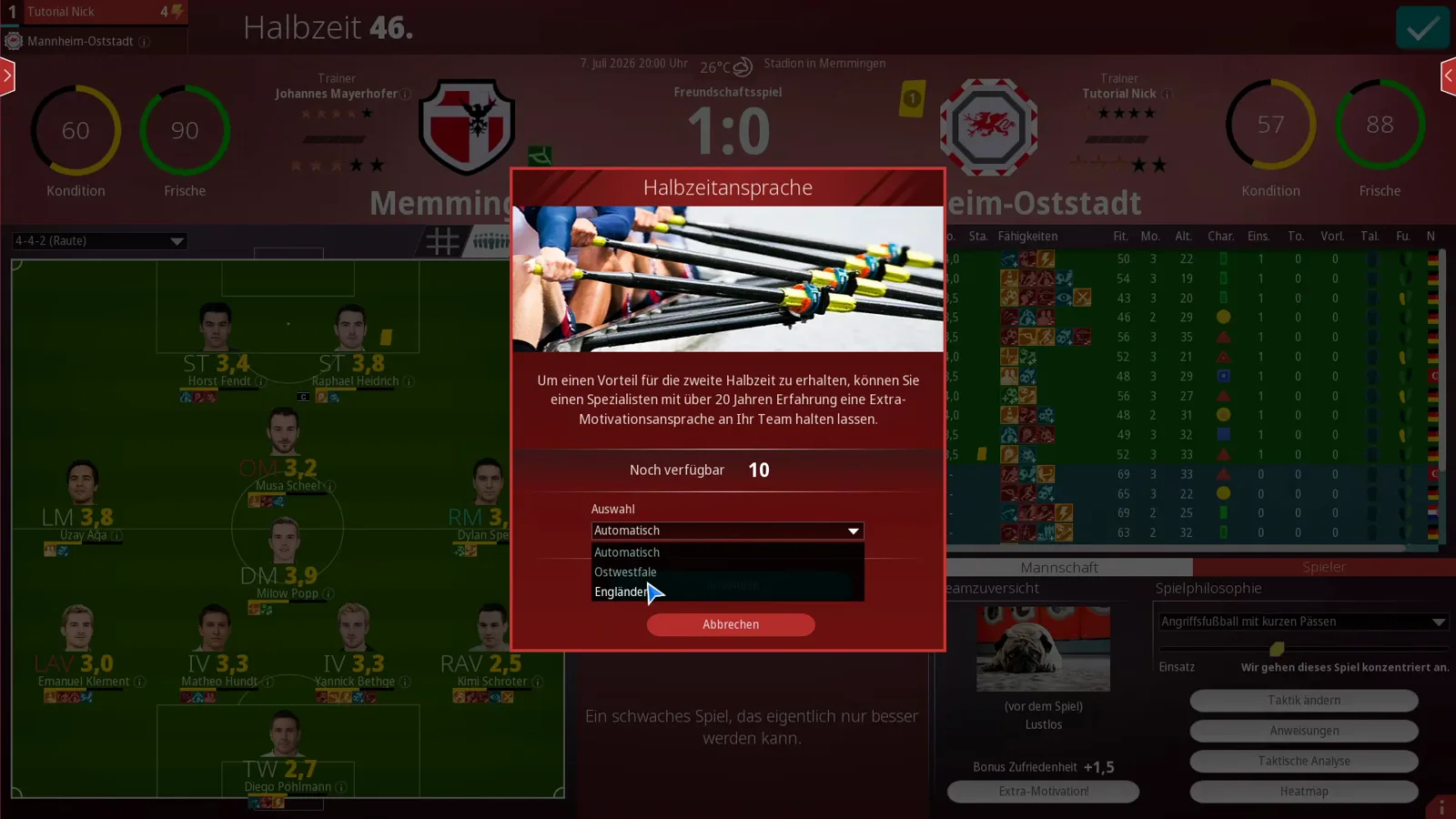
The author treats the ten speeches as a season-long luxury to spend on matches that need turning. What differs between the three personas beyond the flavor of the saying is not shown in the video. Ten per match is what the counter shows in the video’s save; whether league rules or settings ever change that number is likewise not shown.
Reading the heatmap: Heim, Beide, Gast
After the final whistle — the video’s sample ends 1:0, with the analysis panel crediting the home side an xG of 1.44 while the visitors’ sidebar sits at zero chances and 40 percent possession — the Taktische Analyse holds the Heatmap. Three tabs: Heim, Beide, Gast. The on-screen legend is worth quoting in full: „Die Balken zeigen jeweils die relative Anzahl Ballkontakte eines oder beider Teams in einer bestimmten Zone an. In der Übersicht ‚Beide’ werden in einer Zone jeweils die Kontakte des Teams angezeigt, das dort am häufigsten am Ball war. Sowohl Heim als auch Gast spielen in der Anzeige von links (eigenes Tor) nach rechts.“
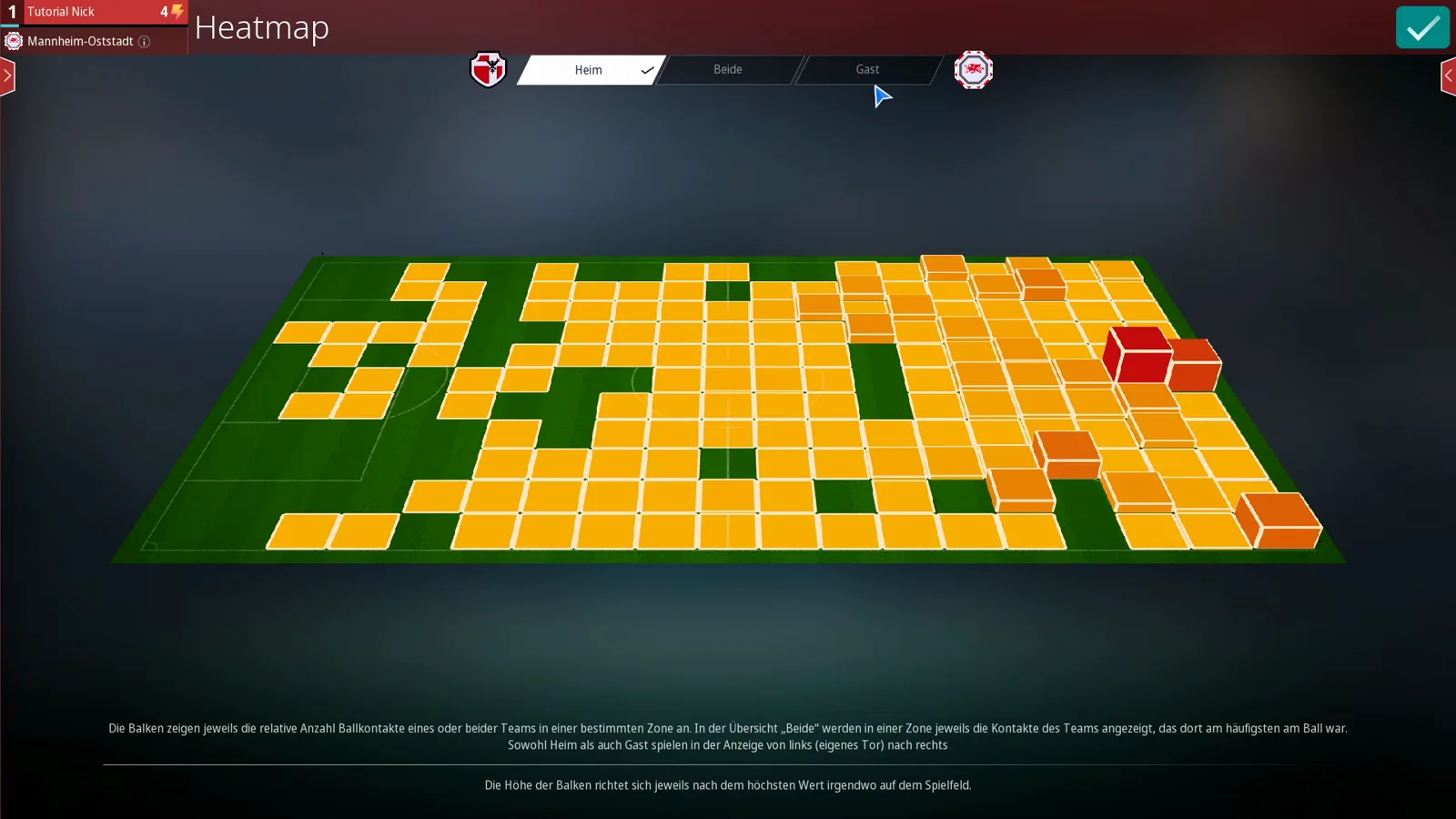
So: bars are ball contacts per zone, both teams attack left to right in the display, and on the Beide overlay each zone shows whichever team was busier there. Height is dominance, all the way to a red maximum. The video reads its match accordingly — the hosts dominant around the visitors’ box, the guests reduced to the wings and midfield — and then reads something more interesting: with the lead to protect, the home AI had packed its own box, the heatmap showing a parked bus in miniature while the visitors’ settings swung to full attack.
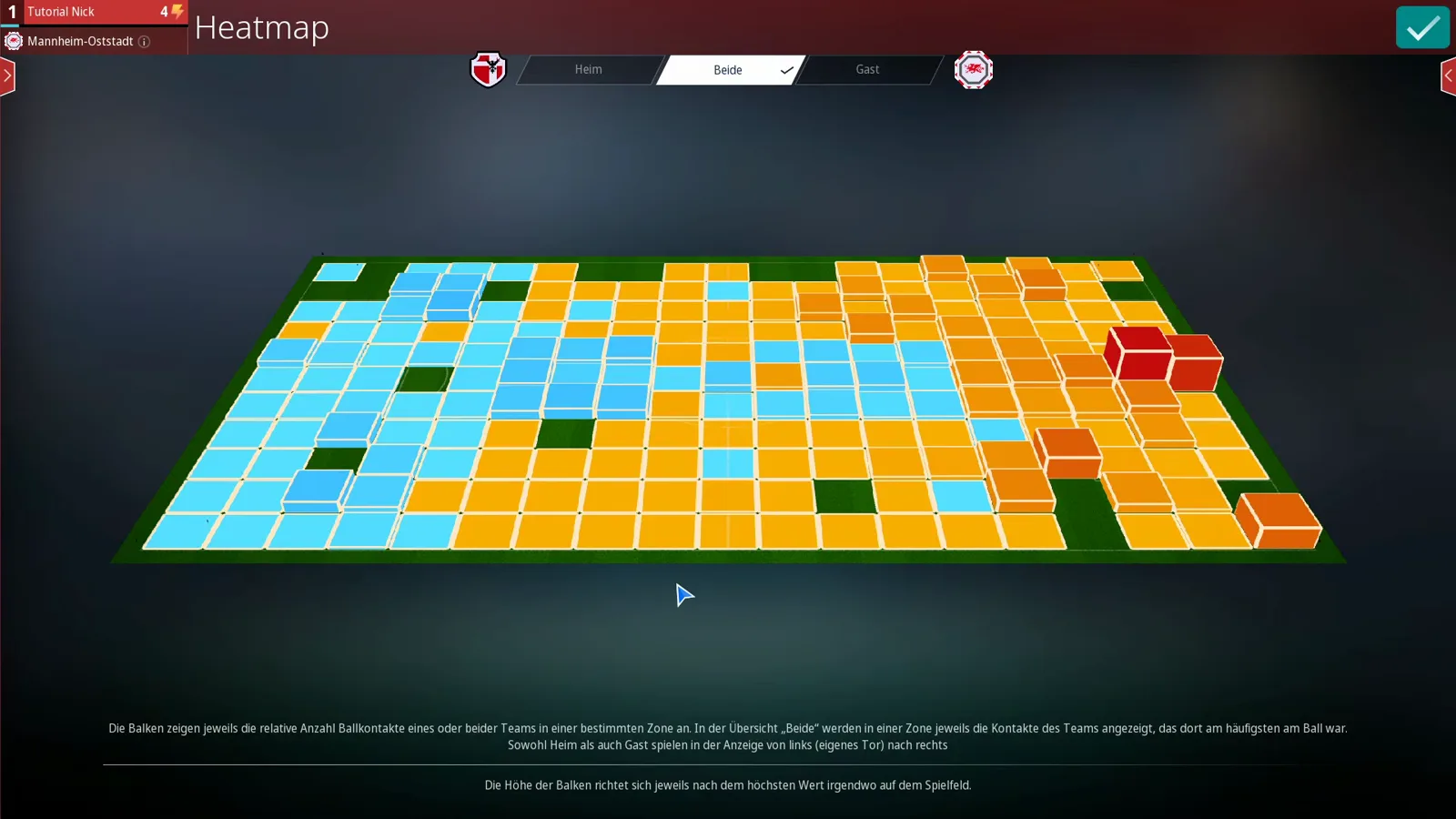
That is the heatmap’s real job: it shows how the AI answered your tactics and the scoreline, zone by zone. Turn the reading into setup changes with the match engine tactics guide.
Auswechslung: substitutions and injuries
The author’s habit is to change things around the 60th minute — late enough that his players have banked the minutes they need to receive a grade. The Auswechslung screen mirrors the dressing room: pitch on the left, squad list on the right, tired players flagged in the warmer colors, and the header counting what you have left.
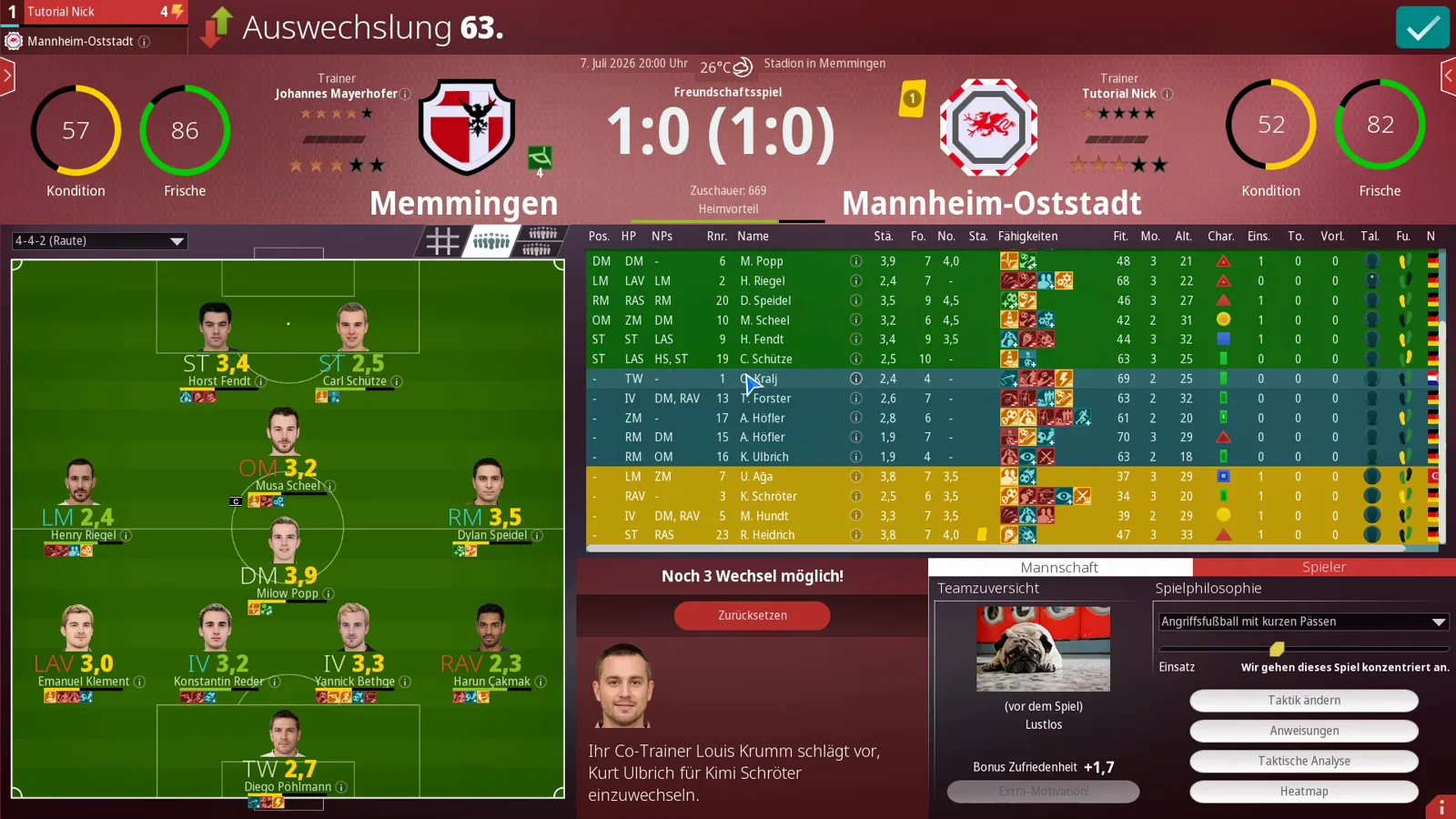
At halftime the dressing room still counted „Noch 7 Wechsel möglich!“; by minute 63, after the video’s round of changes, the header reads „Noch 3 Wechsel möglich!“ — and almost immediately an injury popup underlines why the buffer matters, with the author grateful to still have three doors open. The substitution dialog itself offers candidates per position via the arrow button, ratings included, so you can see exactly what a 2.1-rated centre-back is walking into.
Teamfortschritt: what the match changed
When the week’s last whistle goes, the final calculation opens: Teamfortschritt, the screen that settles whether your matchday moved anything. The player table lists who gained or lost strength and how skills developed; the side rail holds the press review, the fitness rings for Kondition and Frische, and the team-spirit card — the video logs Teamgeist +37, „Verbesserte Gemeinschaft“, a solid haul for a first week it let run to the end.
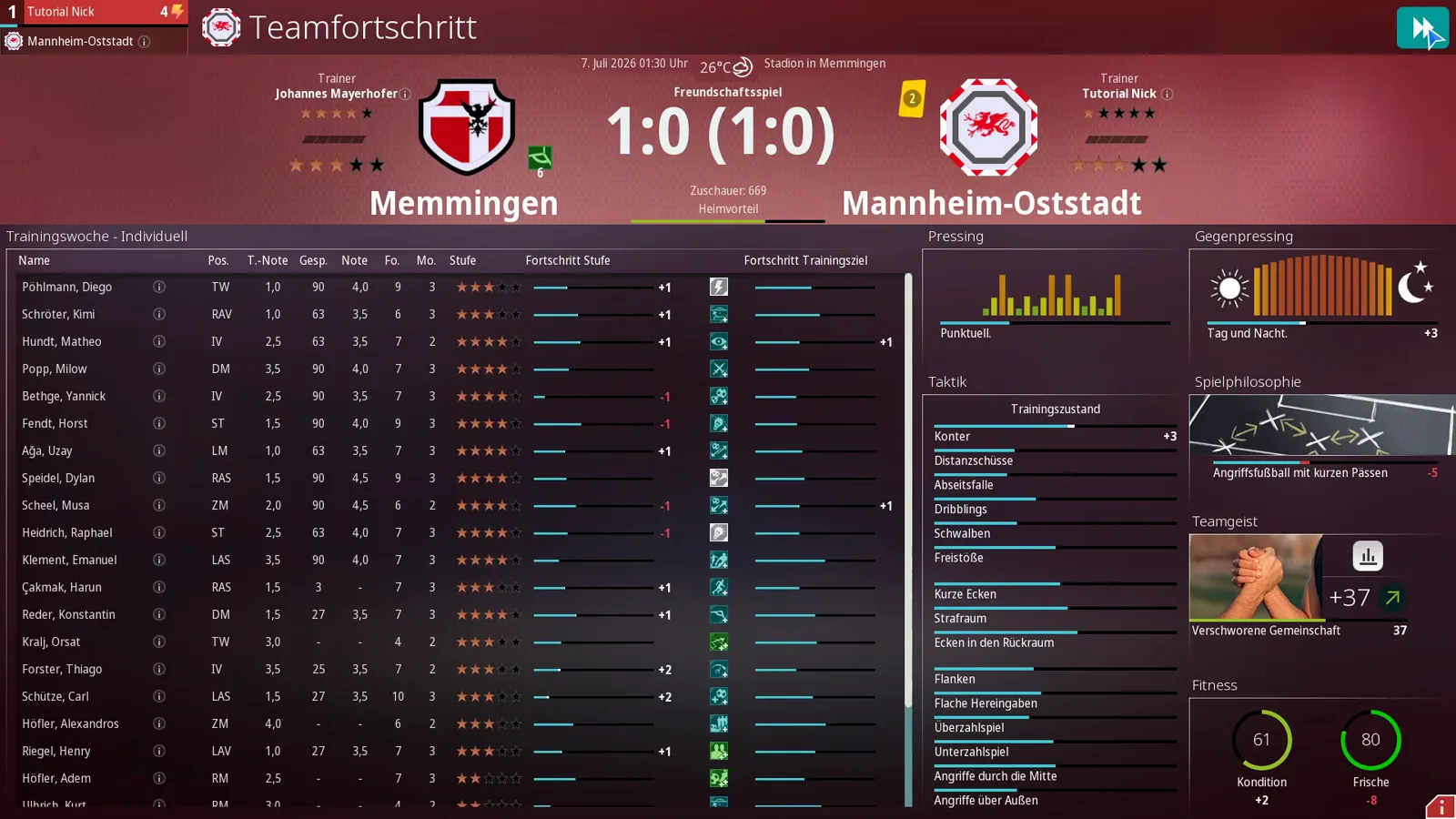
And that closes the loop this page opened: the talks you gave, the changes you made and the zones your heatmap highlighted all end up as numbers here. Where those numbers sit inside a whole career — offers, board, job security — is the territory of the career mode guide.
Related Guides
guides
WE ARE FOOTBALL 2027 Multiplayer: Hotseat for Four Players and Remote Play
WE ARE FOOTBALL 2027 has no online multiplayer servers: up to four managers share hotseat mode on one PC, and Steam Remote Play is the way to play online.
guides
WE ARE FOOTBALL 2027 Sponsors Guide: Contracts, Boards and TV Money
Sponsors in WE ARE FOOTBALL 2027: the four big contracts, stand sponsorship, advertising boards, TV money and a full board-deal negotiation, screen by screen.
guides
WE ARE FOOTBALL 2027 Troubleshooting: Crashes, Editor Fixes and the Update Log
Crashes and editor problems in WE ARE FOOTBALL 2027, and what Update 1 fixed: the official fix list from 24 September, what is still open, and where to check next.
Was this helpful?
Thanks for the feedback!